Page 9 of 13
Re: Aurora 2026 Rev-4.3P Release
Posted: Mon May 11, 2026 7:38 am
by weatherist34
Simple-Update-Aurora-2026-4.3P May 11th
https://www.mediafire.com/file/pikxcspn ... 1.zip/file
Master-Aurora-2026-4.3P May 11th
https://www.mediafire.com/file/z0pnt496 ... 1.zip/file
1.fixed incorrect links in daylight and hardware small modules (
Ref gvmelbrty post)
2.removed license expiry module and scripts from info screen only valid on cloud template version
3.added animation to notifications for station data and wu forecast
4.cleaned up script for notifications(please note it is purely optional via setup screen to use notifications)
5.recompiled daylight small module cleaned up alignment
6.fixed offline data persitently showing in metar small module
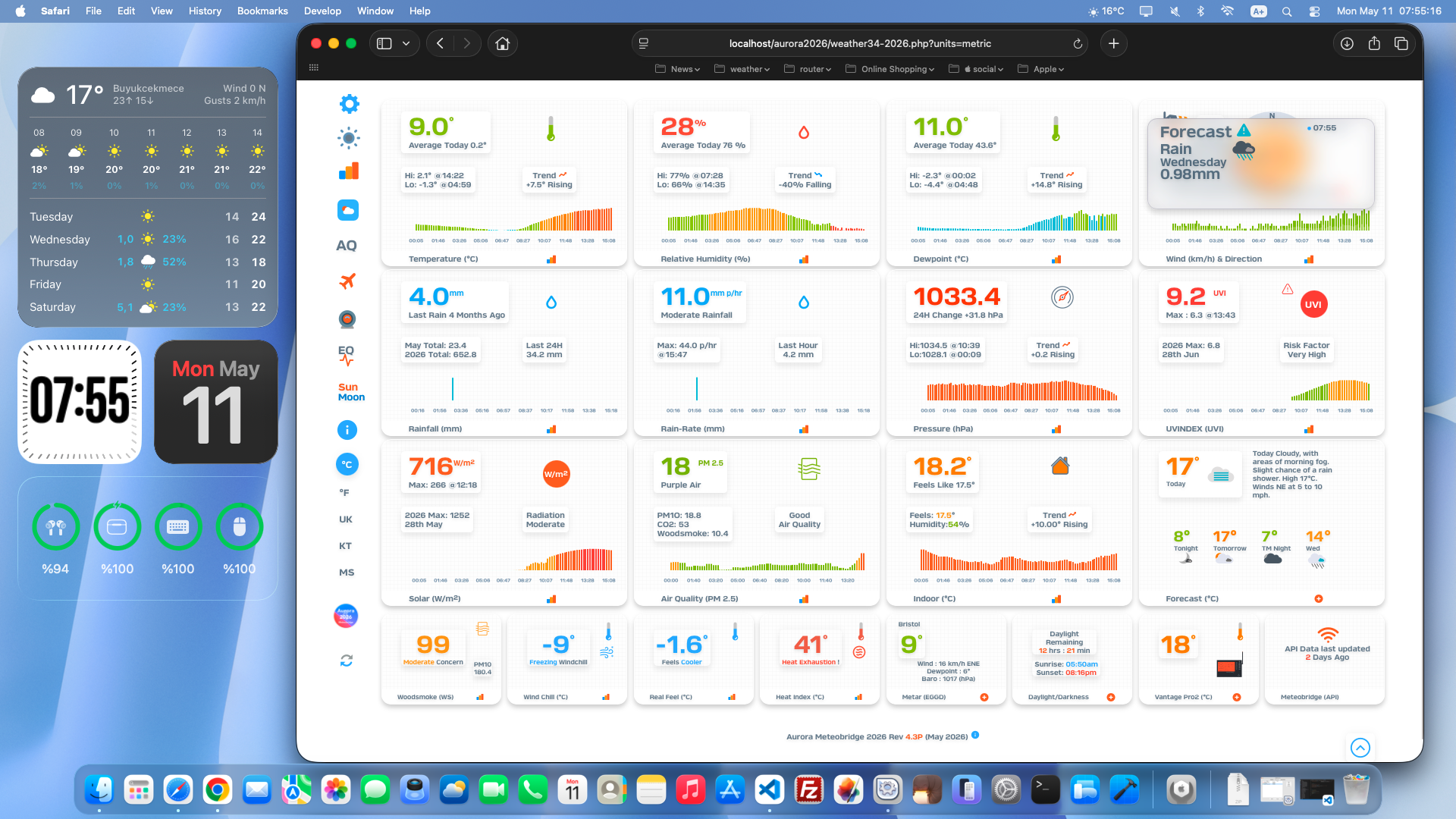
- Screenshot 2026-05-11 at 07.55.16.png (1.22 MiB) Viewed 1328 times
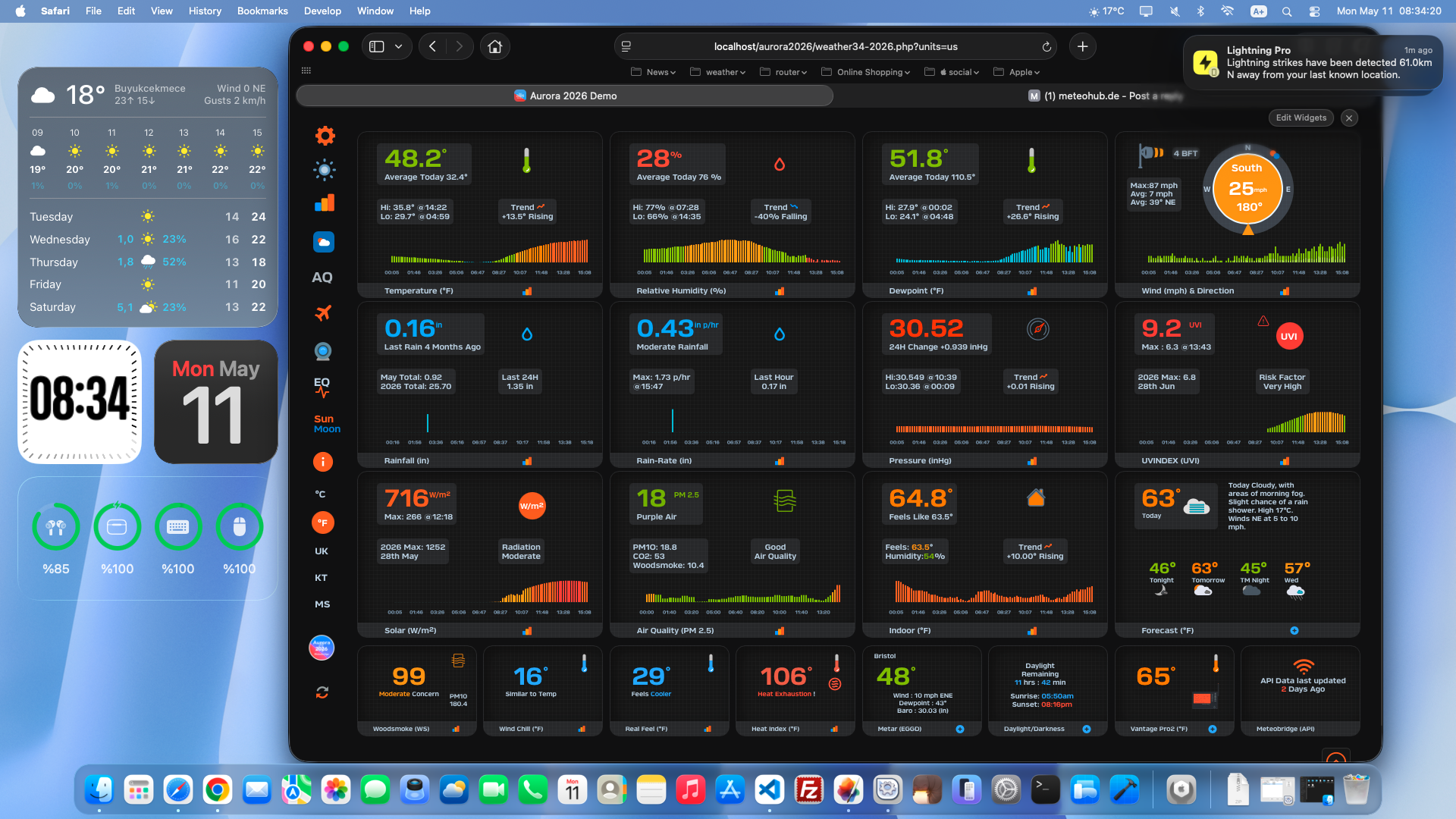
- Screenshot 2026-05-11 at 08.34.20.png (1.29 MiB) Viewed 1328 times
@snoop provide a url or it could be new configuration of php install not setup for Lat Longitude .. a phpinfo file would reveal or help you diagnose
Gemini AI response 
Create a file called info.php : Use a text editor (like Notepad or TextEdit) or your hosting provider's File Manager
to create a new file named info.php.
Add the code: Paste the following script into the file:php
<?php
phpinfo();
?>
Use code with caution.Upload the file:
Place it in your web server's root directory (often named public_html, www, or htdocs).
View in browser: Navigate to the file's URL (e.g.,
http://yourdomain.com or
http://localhost/info.php).
..Brian
Re: Aurora 2026 Rev-4.3P Release
Posted: Mon May 11, 2026 11:23 am
by cheffy
Thanks Brian - forecast alerts are working fine now.
Neil
Re: Aurora 2026 Rev-4.3P Release
Posted: Mon May 11, 2026 4:32 pm
by snoop
@snoop provide a url or it could be new configuration of php install not setup for Lat Longitude .. a phpinfo file would reveal or help you diagnose
- The URL is sun1.org
- I've configured the sun/moon, daylight, and clock modules to be displayed
- The 'info.php' file is available at sun1.org/info.php
- I upgraded to your latest May 11th Simple Update.
- DM me if you need the password.
Thanks for taking a look!
Re: Aurora 2026 Rev-4.3P Release
Posted: Mon May 11, 2026 5:18 pm
by weatherist34
snoop wrote: Mon May 11, 2026 4:32 pm
@snoop provide a url or it could be new configuration of php install not setup for Lat Longitude .. a phpinfo file would reveal or help you diagnose
- The URL is sun1.org
- I've configured the sun/moon, daylight, and clock modules to be displayed
- The 'info.php' file is available at sun1.org/info.php
- I upgraded to your latest May 11th Simple Update.
- DM me if you need the password.
Thanks for taking a look!
love to help but there is no DM on this forum!
two things to double check 1.lat lon 2. php timezone must be correct often a copy and paste can leave a hidden blank which screws up the relevant modules space so
to be 100% safe type it in correctly
Re: Aurora 2026 Rev-4.3P Release
Posted: Mon May 11, 2026 8:32 pm
by LOBWX
Thanks for the great work on this Aurora 2026 Rev-4.3P Release.
everything is a go here
https://pws.4betts2.com 
Re: Aurora 2026 Rev-4.3P Release
Posted: Mon May 11, 2026 9:23 pm
by snoop
I figured it out. I needed to add the "calendar" extension to my PHP installation.
Thanks again for taking a look.
Re: Aurora 2026 Rev-4.3Q Release
Posted: Wed May 13, 2026 6:40 pm
by weatherist34
Simple-Update-Aurora-2026-4.3Q 13TH May
https://www.mediafire.com/file/6fx9lmsh ... y.zip/file
Master-Aurora-2026-4.3Q-13TH MAY
https://www.mediafire.com/file/d31m1kur ... Y.zip/file
1.adds new requested small moon phase module (Ref Geoff)
2.cleans up phrase in small daylight module in iPhone portrait
3.small change to metar small module to deal with extra long airport names
..sidenote if you are seeing failed data in metar in the cloud versions of template via meteobridge CheckWx have changed their policy and limits on API requests per day recently which begins June 1st , this may be the reason you might be seeing missing data in metar though the email I got specifically does say June 1st .these limits do not effect this Aurora 2026 version as the template if set up correctly should not exceed 24 requests per day ..which is well below the daily limit
Thank you for being part of the CheckWX community. We truly appreciate your support and continued usage of the service.
To ensure the long-term sustainability of the API, we need to make an important change. For the past five years, we have offered a completely free tier with 3,000 daily requests while covering all server and compute costs ourselves. Unfortunately, this model has become unsustainable.
Starting June 1, 2026, the 3,000 daily requests tier will require a nominal fee of $1 per month.
Users who choose not to upgrade will automatically be moved to our new Trial Plan with 200 daily requests (still completely free).
This small change will help us continue investing in reliability, performance, and new features while keeping the service running for everyone.
We’ve worked hard to keep pricing as low as possible, and we believe this adjustment represents excellent value for the vast majority of users. If the API is valuable to you, we kindly ask you to support it by upgrading to the new Starter Plan for just $1/month.
If you have any questions or need help transitioning, please don’t hesitate to contact us. We’re here to assist.
Thank you again for your understanding and ongoing support. We’re committed to providing a reliable weather API for years to come.
Best regards,
CheckWX API Team
..Brian
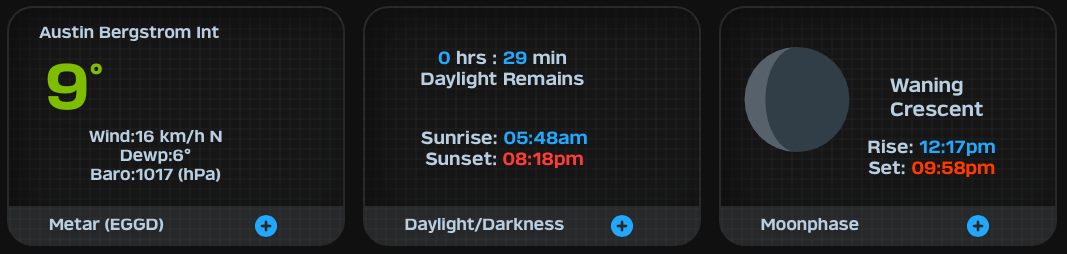
- Screenshot 2026-05-13 at 19.49.13.png (82.7 KiB) Viewed 1178 times
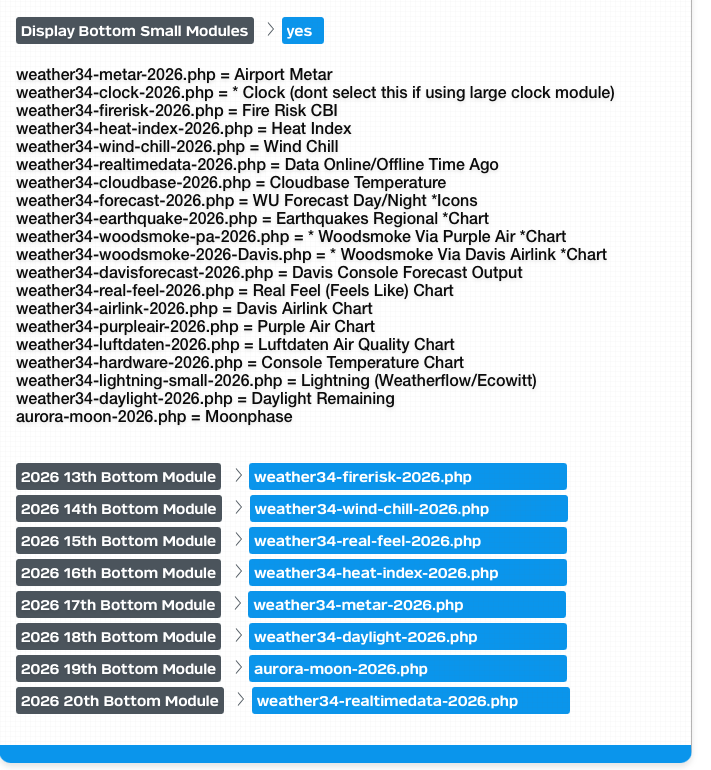
- Screenshot 2026-05-13 at 19.42.57.png (286.23 KiB) Viewed 1181 times
Re: Aurora 2026 Rev-4.3Q Release
Posted: Thu May 14, 2026 10:31 pm
by Cavaliere
Hi everyone, I've been using this template for several years, and now I've also upgraded to the new 2026 version. I've noticed they've opted for a single responsive template, so it can be adapted to all devices.
Compared to before, however, since I use it on a 10-11" tablet, I see the data in a smaller format. Isn't it possible to have only 3 blocks per row instead of 4, or perhaps choose whether to see only 6 main blocks and which ones to view in a customized way?
Thanks again for the project you're working on, Brian.
Re: Aurora 2026 Rev-4.3Q Release
Posted: Fri May 15, 2026 5:49 pm
by weatherist34
Cavaliere wrote: Thu May 14, 2026 10:31 pm
Hi everyone, I've been using this template for several years, and now I've also upgraded to the new 2026 version. I've noticed they've opted for a single responsive template, so it can be adapted to all devices.
Compared to before, however, since I use it on a 10-11" tablet, I see the data in a smaller format. Isn't it possible to have only 3 blocks per row instead of 4, or perhaps choose whether to see only 6 main blocks and which ones to view in a customized way?
Thanks again for the project you're working on, Brian.
Hello can you give us the model / brand I will take a look at adding an option... that said at the beginning of developing this template the request was 4 modules per row .. Brian
Re: Aurora 2026 Rev-4.3Q Release
Posted: Fri May 15, 2026 6:29 pm
by Cavaliere
weatherist34 wrote: Fri May 15, 2026 5:49 pm
Cavaliere wrote: Thu May 14, 2026 10:31 pm
Hi everyone, I've been using this template for several years, and now I've also upgraded to the new 2026 version. I've noticed they've opted for a single responsive template, so it can be adapted to all devices.
Compared to before, however, since I use it on a 10-11" tablet, I see the data in a smaller format. Isn't it possible to have only 3 blocks per row instead of 4, or perhaps choose whether to see only 6 main blocks and which ones to view in a customized way?
Thanks again for the project you're working on, Brian.
Hello can you give us the model / brand I will take a look at adding an option... that said at the beginning of developing this template the request was 4 modules per row .. Brian
My tablets are two models, a MEDIACOM and a TECLAST.
I used this template with the previous version of weather 34 aurora.
Re: Aurora 2026 Rev-4.3Q Release
Posted: Sat May 16, 2026 7:21 am
by weatherist34
ok i understand the older aurora had various fixed module layouts hence 3 across . ill see what i can do but could be problematic for those using ipads of similar size… brian
Re: Aurora 2026 Rev-4.3Q Release
Posted: Sat May 16, 2026 10:36 pm
by Cavaliere
weatherist34 wrote: Sat May 16, 2026 7:21 am
ok i understand the older aurora had various fixed module layouts hence 3 across . ill see what i can do but could be problematic for those using ipads of similar size… brian
Ok, I'm waiting for your good news

Re: Aurora 2026 Rev-4.3Q Release
Posted: Sun May 17, 2026 6:55 am
by weatherist34
weatherist34 wrote: Sat May 16, 2026 7:21 am
ok i understand the older aurora had various fixed module layouts hence 3 across . ill see what i can do but could be problematic for those using ipads of similar size… brian
Good morning unfortunately not good news I can't find any info on that device you show , without the basic css @ media implemented its a lot of trial and error and not having any access is a complete non starter .ive looked for info and simulator but nothing found so best stick with the older version which had all those layout options (10) .the real aim of this 2026 Aurora was to eradicate the need to maintain more individual layouts and whilst I could create a dedicated layout for those type of tablets it means I'm going back to maintaining multiple layouts.sorry I can't help .I attempted but it all fell apart when I switched to another layout on other IOS tablets which indicated a lot reworking the code.Sorry ..Brian
see below
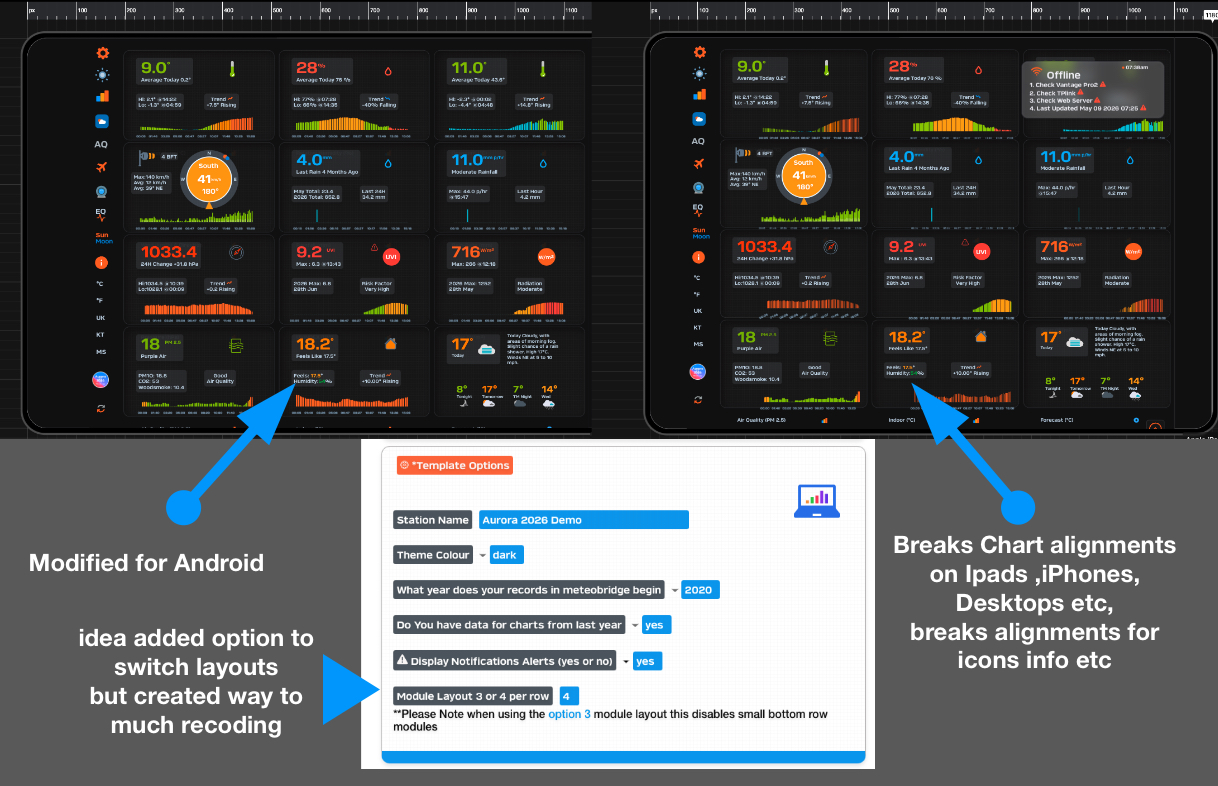
- Screenshot 2026-05-17 at 07.36.52.jpg (691.4 KiB) Viewed 977 times
Re: Aurora 2026 Rev-4.3Q Release
Posted: Sun May 17, 2026 8:50 am
by Cavaliere
weatherist34 wrote: Sun May 17, 2026 6:55 am
weatherist34 wrote: Sat May 16, 2026 7:21 am
ok i understand the older aurora had various fixed module layouts hence 3 across . ill see what i can do but could be problematic for those using ipads of similar size… brian
Good morning unfortunately not good news I can't find any info on that device you show , without the basic css @ media implemented its a lot of trial and error and not having any access is a complete non starter .ive looked for info and simulator but nothing found so best stick with the older version which had all those layout options (10) .the real aim of this 2026 Aurora was to eradicate the need to maintain more individual layouts and whilst I could create a dedicated layout for those type of tablets it means I'm going back to maintaining multiple layouts.sorry I can't help .I attempted but it all fell apart when I switched to another layout on other IOS tablets which indicated a lot reworking the code.Sorry ..Brian
see below
Screenshot 2026-05-17 at 07.36.52.jpg
Hi Brian,
Thanks for your attempt, but unfortunately, by leaving the 4-block layout, the text for each block's values remains really small.
A silly question, but can I still use the old version?
For example, for my tablets, would I always use the old version with the various selectable layouts, and for my website, would I use the new one Aurora?
Re: Aurora 2026 Rev-4.3Q Release
Posted: Sun May 17, 2026 1:21 pm
by weatherist34
Hello no problem but sure the old versions have no problems , only issue may be a future php update will break things .im aware of two issues on older versions that need some reworking in terms of php future releases . in short if aint broke don't fix it just carry on as you are ..Brian