Page 10 of 12
Re: Weather34 Aurora becomes Meteobridge Aurora and goes into the Cloud
Posted: Sun Nov 23, 2025 5:52 am
by Mattk
Indoor Information
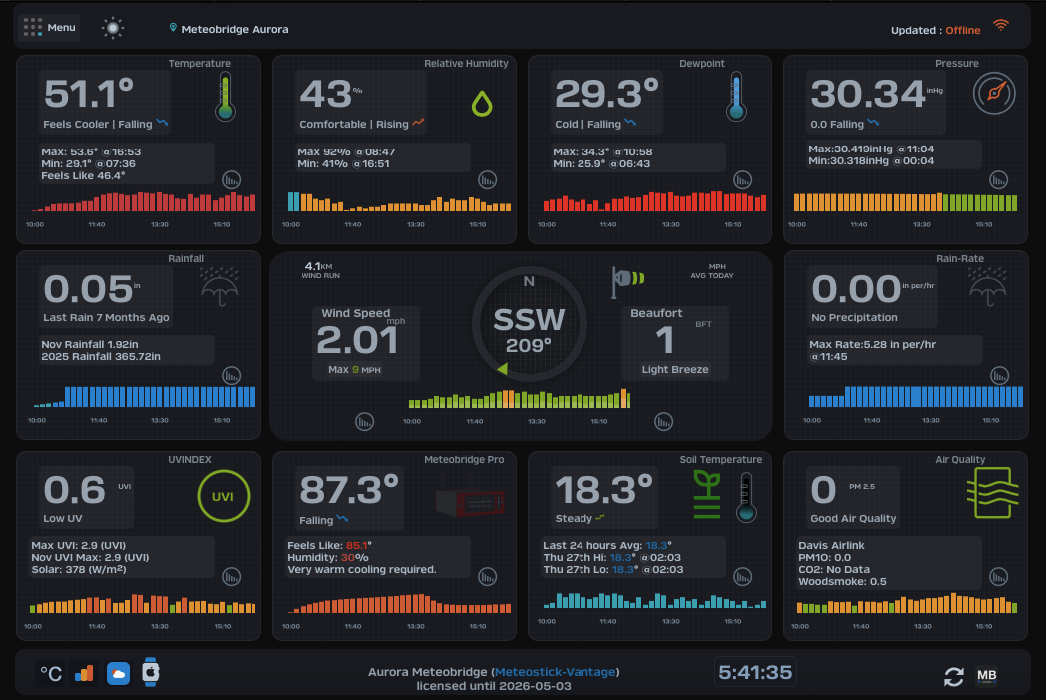
Indoor Temperature with a MBPro to anybody who doesn't understand that this is Box Temperature and not actually "Indoor Temperature" ( as such) could be a bit misleading but then not sure either how this can better represented?
Re: Weather34 Aurora becomes Meteobridge Aurora and goes into the Cloud
Posted: Sun Nov 23, 2025 6:00 am
by Mattk
With Aurora is it possible to control/eliminate the dashboard layouts when stations that have specific capability are being used as not all stations have standard type sensor output available?
For example using a Lufft Ventus, actual data is Wind Speed & direction with virtual temperature and barometric pressure which makes many of the layout tiles irrelevant, something like a Lufft WS200 only provides Wind speed & Direction, only one(1) tile is relevant.
Re: Weather34 Aurora becomes Meteobridge Aurora and goes into the Cloud
Posted: Sun Nov 23, 2025 3:18 pm
by weatherist34
Mattk wrote: Sun Nov 23, 2025 6:00 am
With Aurora is it possible to control/eliminate the dashboard layouts when stations that have specific capability are being used as not all stations have standard type sensor output available?
For example using a Lufft Ventus, actual data is Wind Speed & direction with virtual temperature and barometric pressure which makes many of the layout tiles irrelevant, something like a Lufft WS200 only provides Wind speed & Direction, only one(1) tile is relevant.
Hello
unfortunately im not the guy anymore for saying yes i can do that and pump out a quick update. Im basically leaving it to Boris these days to decide if ideas are justifiable. I had the chance a few years ago to implement lufft hardware setups i was offered a sample of some ultrasonic version but at the time i had sample hardware all over the back yard and the wife was getting fed up with it and unfortunately import tax duty and customs clearance to here in istanbul was becoming a pain in the ass often hardware was not accompanied with correct paperwork and plus the 160km round trip each time.
so in short if Boris thinks it’s a useful and justifiable idea im happy to implement so im hinting contact him and if it’s a yes ill do it.
yes unfortunately mb pro limitation simple probably better idea would be to add small script “if hardware mb pro use custom title for module instead of indoor “ ???
brian
Re: Weather34 Aurora becomes Meteobridge Aurora and goes into the Cloud
Posted: Thu Nov 27, 2025 7:43 am
by weatherist34
Mattk wrote: Sun Nov 23, 2025 5:52 am
Indoor Information
Indoor Temperature with a MBPro to anybody who doesn't understand that this is Box Temperature and not actually "Indoor Temperature" ( as such) could be a bit misleading but then not sure either how this can better represented?
Ok Matt
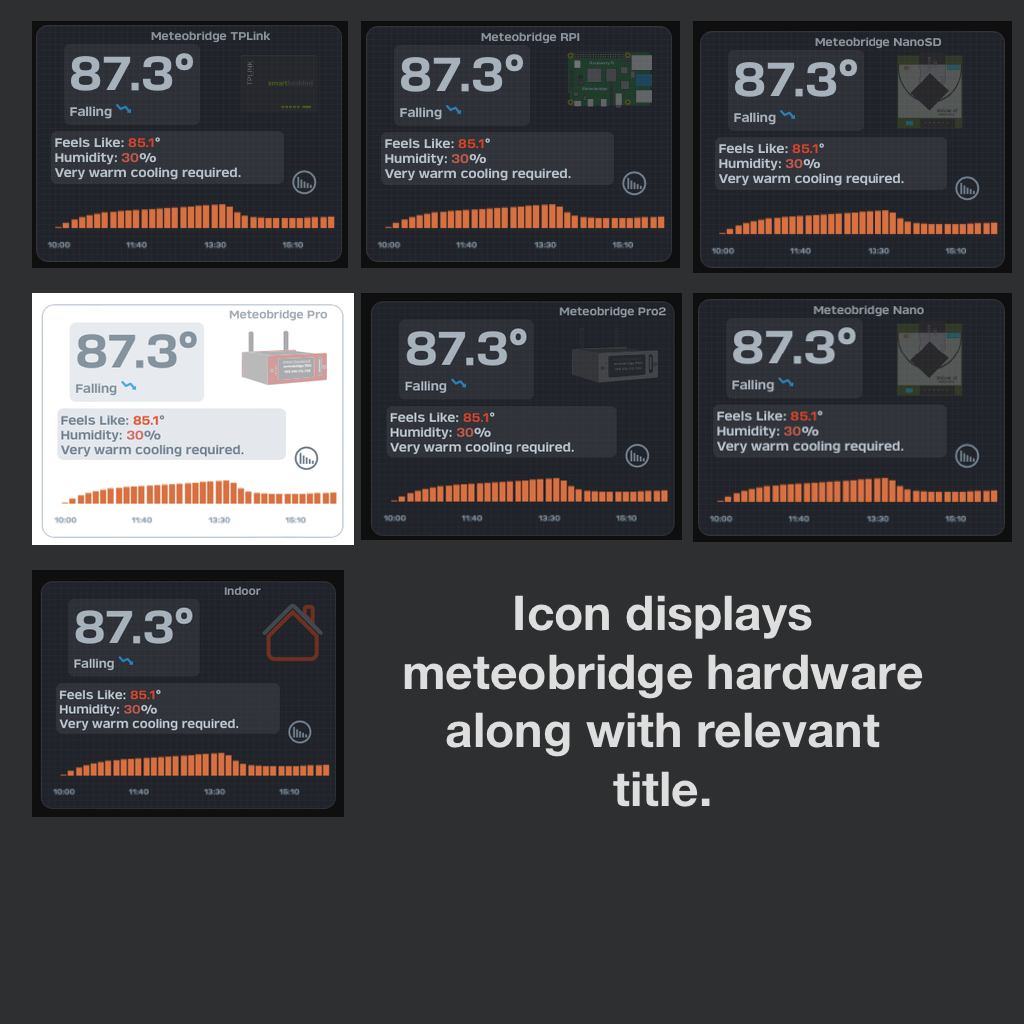
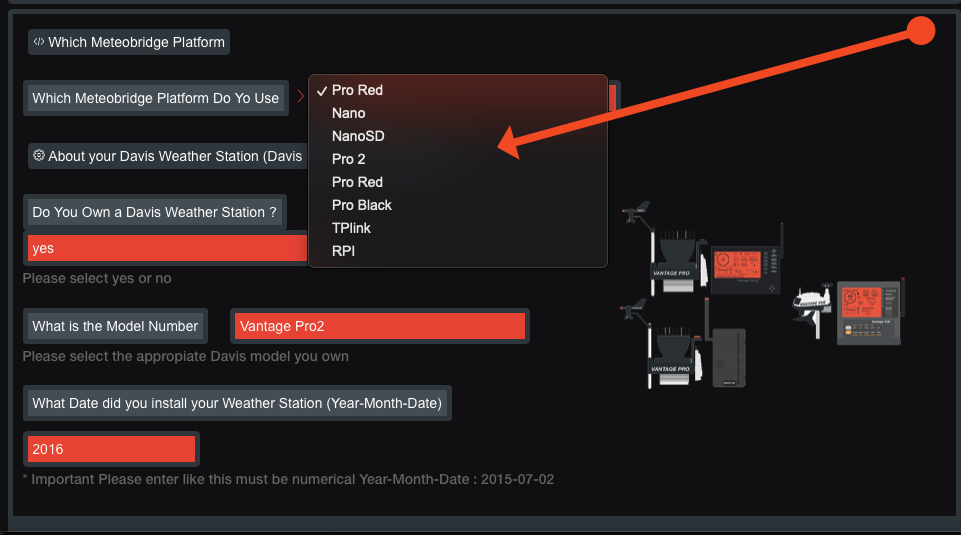
i slotted this in this morning (Friday) before I zip another before I send to Boris this weekend .. please no more

displays based on existing template icons for hardware also this is based on where you select current meteobridge hardware in setup ....hope thats a alternative solution ...brian
- hardware.png (309.48 KiB) Viewed 1593 times
- matt4.png (109.33 KiB) Viewed 1600 times
- matt5.png (234.09 KiB) Viewed 1600 times
Re: Weather34 Aurora becomes Meteobridge Aurora and goes into the Cloud
Posted: Thu Nov 27, 2025 10:00 am
by Mattk
Thank you Brian, copy that
Re: Weather34 Aurora becomes Meteobridge Aurora and goes into the Cloud
Posted: Thu Nov 27, 2025 11:02 am
by weatherist34
Mattk wrote: Thu Nov 27, 2025 10:00 am
Thank you Brian, copy that
Hello
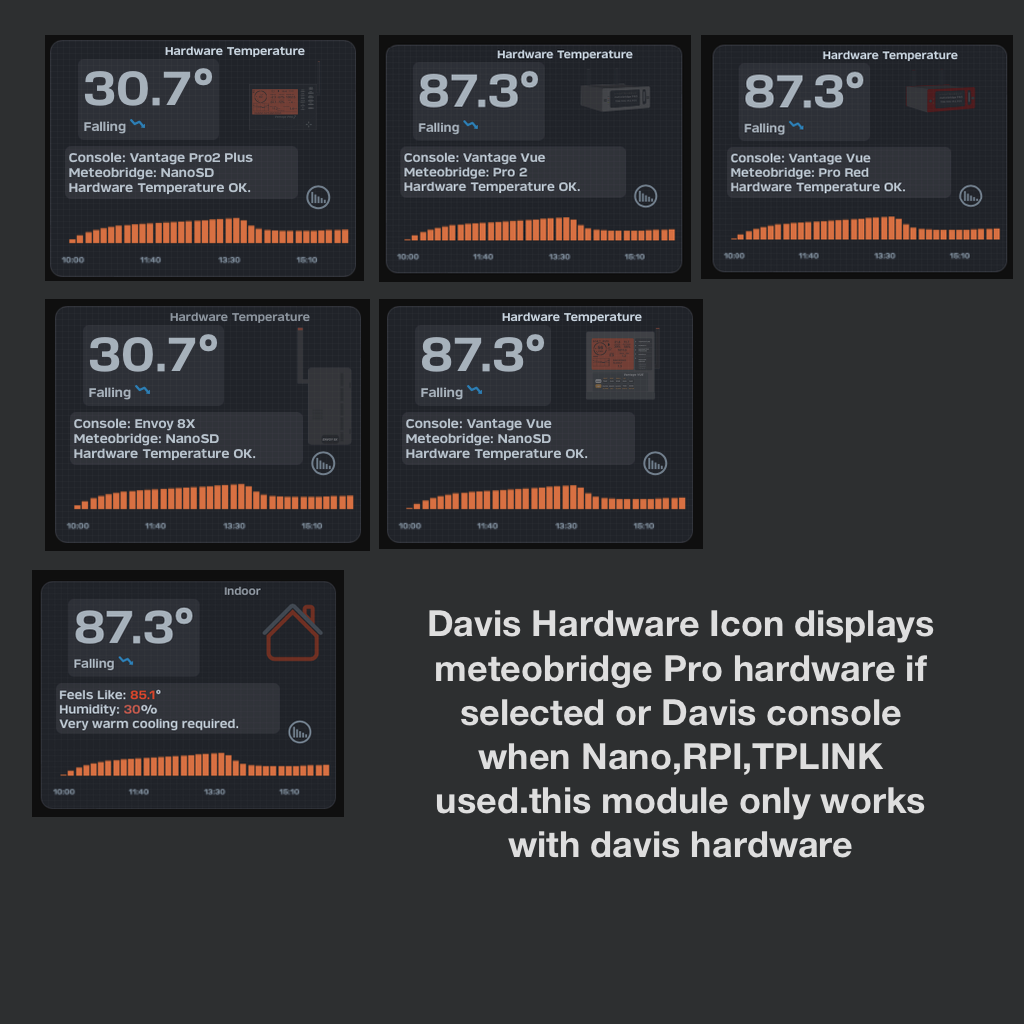
rare productive morning gone one better created a separate optional module for displaying hardware temperature because there will be users who prefer the original approach so its an optional hardware module to work with davis hardware combined with meteobridge various hardware configurations . see below for final simpler idea without disrupting users . brian..roger that !

- rev2.png (332.52 KiB) Viewed 1587 times
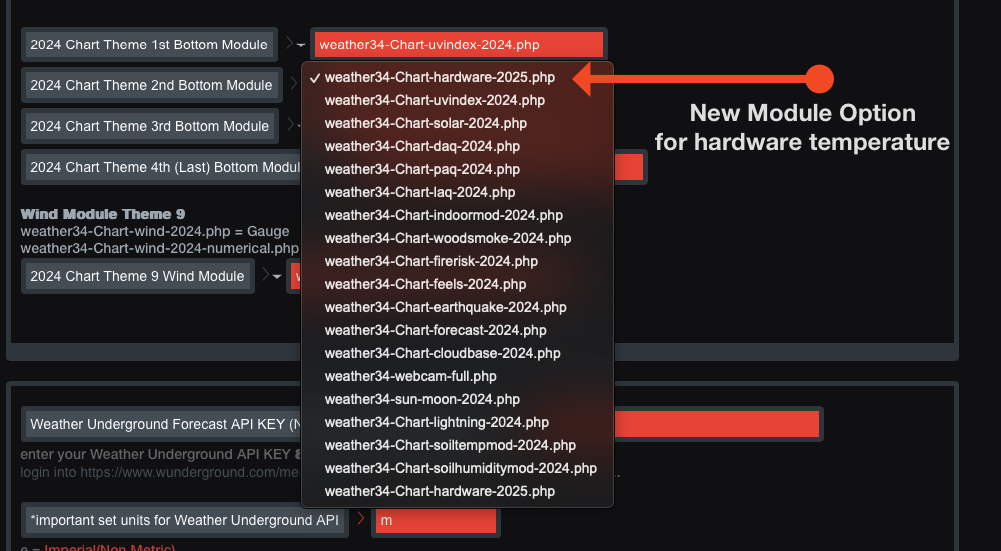
- rev3.png (203.46 KiB) Viewed 1587 times
Re: Weather34 Aurora becomes Meteobridge Aurora and goes into the Cloud
Posted: Thu Nov 27, 2025 4:03 pm
by PietBuildinG
Wat een mooi werk heren!
Domme vraag: Is het mogelijk de content Meteobridge Aurora page op groter scherm (op 16:9) te krijgen voor een leek?
Groet,
Piet
Re: Weather34 Aurora becomes Meteobridge Aurora and goes into the Cloud
Posted: Sat Nov 29, 2025 4:41 pm
by weatherist34
PietBuildinG wrote: Thu Nov 27, 2025 4:03 pm
Wat een mooi werk heren!
Domme vraag: Is het mogelijk de content Meteobridge Aurora page op groter scherm (op 16:9) te krijgen voor een leek?
Groet,
Piet
hello , thanks for the compliment sorry i cant respond in dutch ..english or turkish is my limit .
sorry i simply dont have the time or a range of computer hardware anymore to compile any new layout sizes .
16:9 is achievable by compiling with the CSS media string
@media screen and (aspect-ratio: 16/9)
{
css here for ratio 16:9
}
but I simply dont have the time or means of testing thoroughly. brian
Re: Weather34 Aurora becomes Meteobridge Aurora and goes into the Cloud
Posted: Wed Dec 03, 2025 10:34 am
by admin
Brian has been so kind to provide an updated November release of the Aurora Templates. When you want to update your local installs, you find the files here...
Full Install:
https://content.meteobridge.com/files/A ... r-2025.zip
Simple Update:
https://content.meteobridge.com/files/A ... r-2025.zip
You now also have access to these files from within you Meteobridge GUI for download.
I will update the cloud installs in the next days.
Re: Weather34 Aurora becomes Meteobridge Aurora and goes into the Cloud
Posted: Wed Dec 03, 2025 1:56 pm
by admin
I think I have the cloud update ready. Test with my account seem to work fine.
Any volunteers to try the beta - before I release to the public?
If you want to give it a test drive, please send email do "info(at)meteobridge.com" including link to your cloud dashboard.
Re: Weather34 Aurora becomes Meteobridge Aurora and goes into the Cloud
Posted: Thu Dec 04, 2025 6:34 pm
by admin
New version has been applied to all cloud clients.
Re: Weather34 Aurora becomes Meteobridge Aurora and goes into the Cloud
Posted: Thu Dec 11, 2025 1:19 pm
by LudwigD
Very nice, and many thanks!
But I don't succeed coupling the right value to the hardware temperature. I have an external I2C sensor (SHT31 ext) which gives me the right indoor temperature (th0!9temp thb0temp indoor temperature in the mapping of my Meteobridge Pro 2) this gives the correct indoor temperature on the Meteobridge Aurora Dashboard.
System temperatuur is mapped as: thb0!9temp thb9temp system temperature.
This shows the right data on the Live data Tab:
9 System #9 28 sec 35.4°C 26% 1022.4hPa (1021.2hPa) 95.7°F 26% 30.19inHg (30.16inHg)
9 Outdoor #9 28 sec 23.1°C 54% (dew13.3°C,hi23.1°C,wb16.9°C) 73.6°F 54% (dew55.9°F,hi73.6°F,wb62.5°F)
But on the Aurora Dashboard it uses also the indoor temperature for Hardware Temperature.
How can I fix this?
Many Thanks and best greetings,
LD
Re: Weather34 Aurora becomes Meteobridge Aurora and goes into the Cloud
Posted: Thu Dec 11, 2025 4:31 pm
by weatherist34
LudwigD wrote: Thu Dec 11, 2025 1:19 pm
Very nice, and many thanks!
But I don't succeed coupling the right value to the hardware temperature. I have an external I2C sensor (SHT31 ext) which gives me the right indoor temperature (th0!9temp thb0temp indoor temperature in the mapping of my Meteobridge Pro 2) this gives the correct indoor temperature on the Meteobridge Aurora Dashboard.
System temperatuur is mapped as: thb0!9temp thb9temp system temperature.
This shows the right data on the Live data Tab:
9 System #9 28 sec 35.4°C 26% 1022.4hPa (1021.2hPa) 95.7°F 26% 30.19inHg (30.16inHg)
9 Outdoor #9 28 sec 23.1°C 54% (dew13.3°C,hi23.1°C,wb16.9°C) 73.6°F 54% (dew55.9°F,hi73.6°F,wb62.5°F)
But on the Aurora Dashboard it uses also the indoor temperature for Hardware Temperature.
How can I fix this?
Many Thanks and best greetings,
LD
Hello
the existing aurora API is exhausted there are currently 200 data points sent every update to MBrealtimeupload.txt
i think it is better to create a secondary smaller API or output to a file example
MBrealtimeupload2.txt and stagger its update output to every 5 pr 10 minutes in the additional API .this reduces the load on the meteobridge device to correlate data at reasonable intervals .it would be useful for sensors that dont require update output every 10 seconds or 1 minute . things like you mention that dont need rapid updates things like also ecowitt air quality sensors etc. that said without commitment from end users I can not implement or test thoroughly also my days of guessing how it should be or what is expected are over and I learnt realtime data is critical to development.
so Im listening to ideas ! *note i do not own any weather station hardware anymore not even a meteobridge so its all end users throwing ideas up and solutions.
unfortunately I ran out of time to complete a new layout for 2026 it was built on a very slim code literally 70% smaller than existing aurora layouts and it also has a new setup screen again simplified for useability and not congested, more module options ,very flexible screen device compatibility like phone,ipads,tv,laptops,16:9 where required , simplified always present menu .as above not going to offer this before end of year and if Boris likes what he sees then expect something in early 2026. i can also add or implement ideas has far easier to compile with simply less data less code to go through .
some screenshots
standard layout
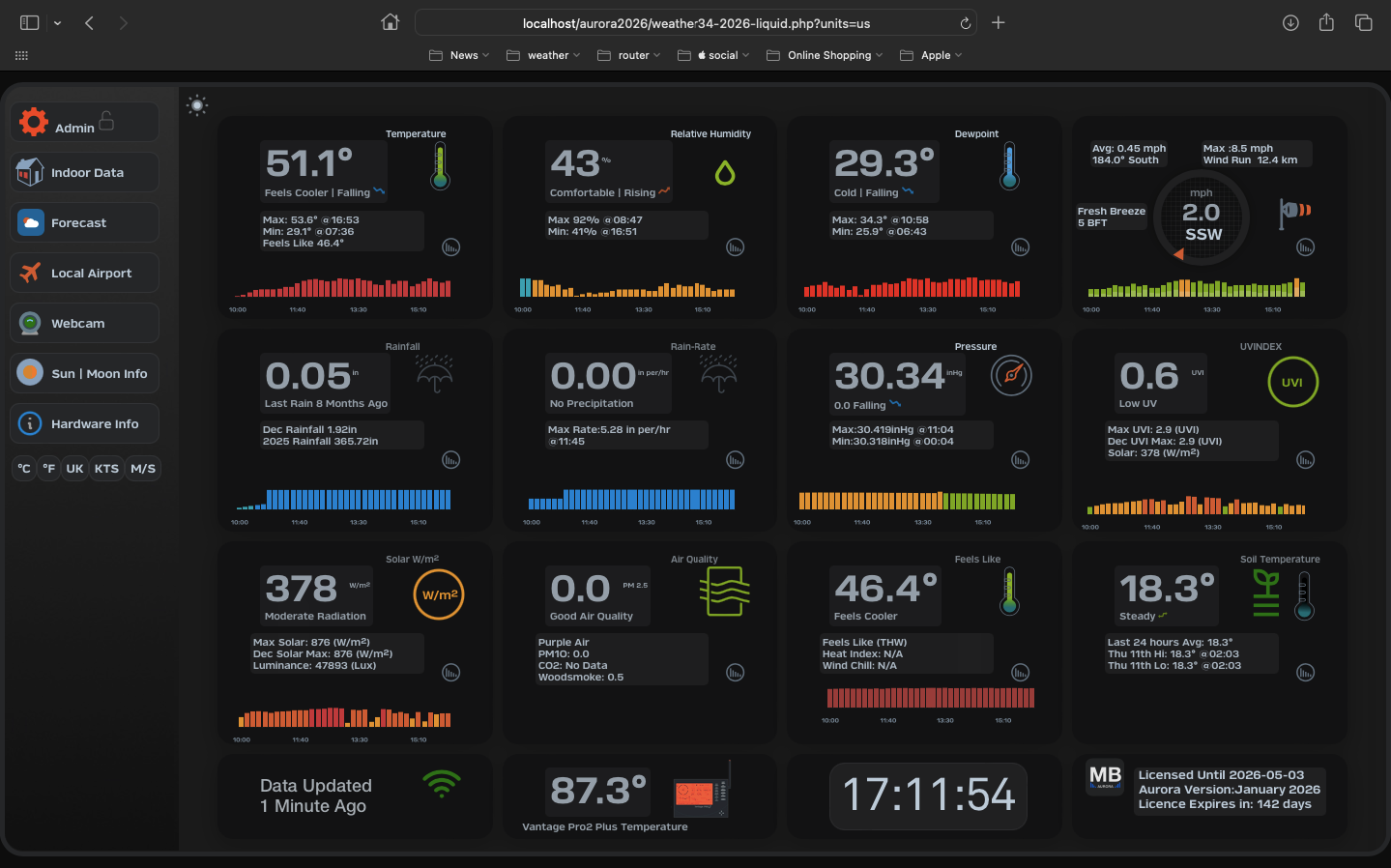
- mb1.png (288.21 KiB) Viewed 1312 times
standard layout
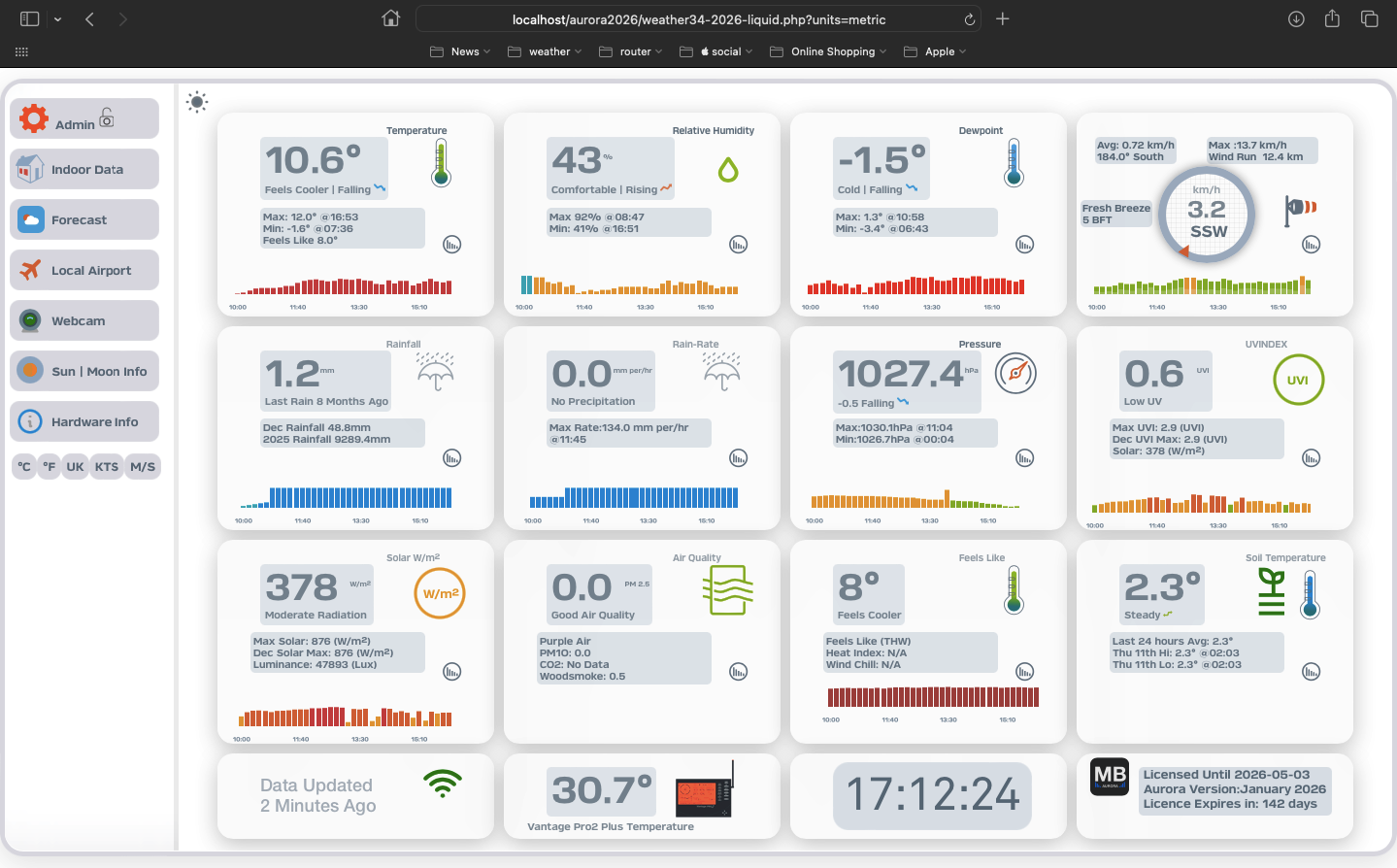
- mb2.png (290.23 KiB) Viewed 1312 times
new setup screen
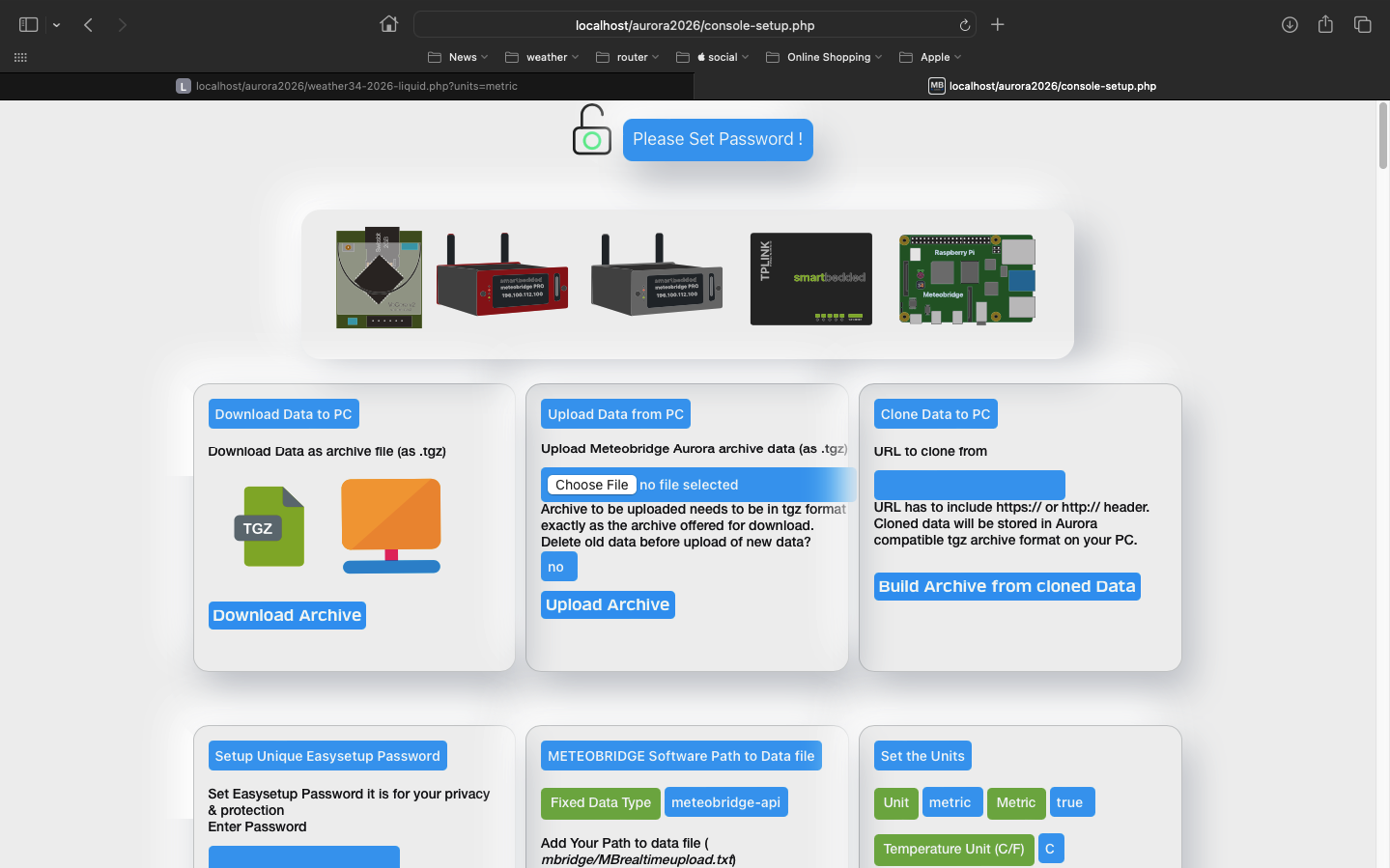
- mb3.png (269.54 KiB) Viewed 1312 times
phone devices
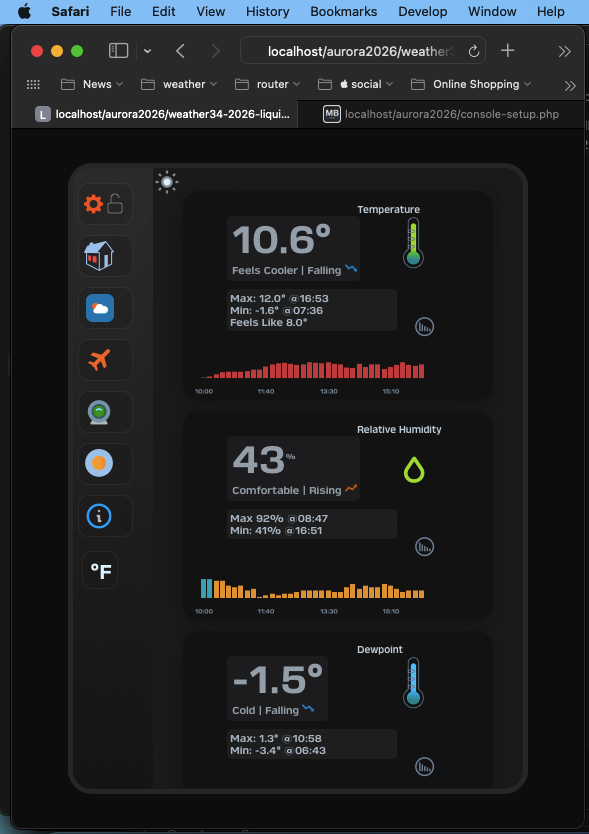
- mb4.png (119.71 KiB) Viewed 1312 times
ipads or similar
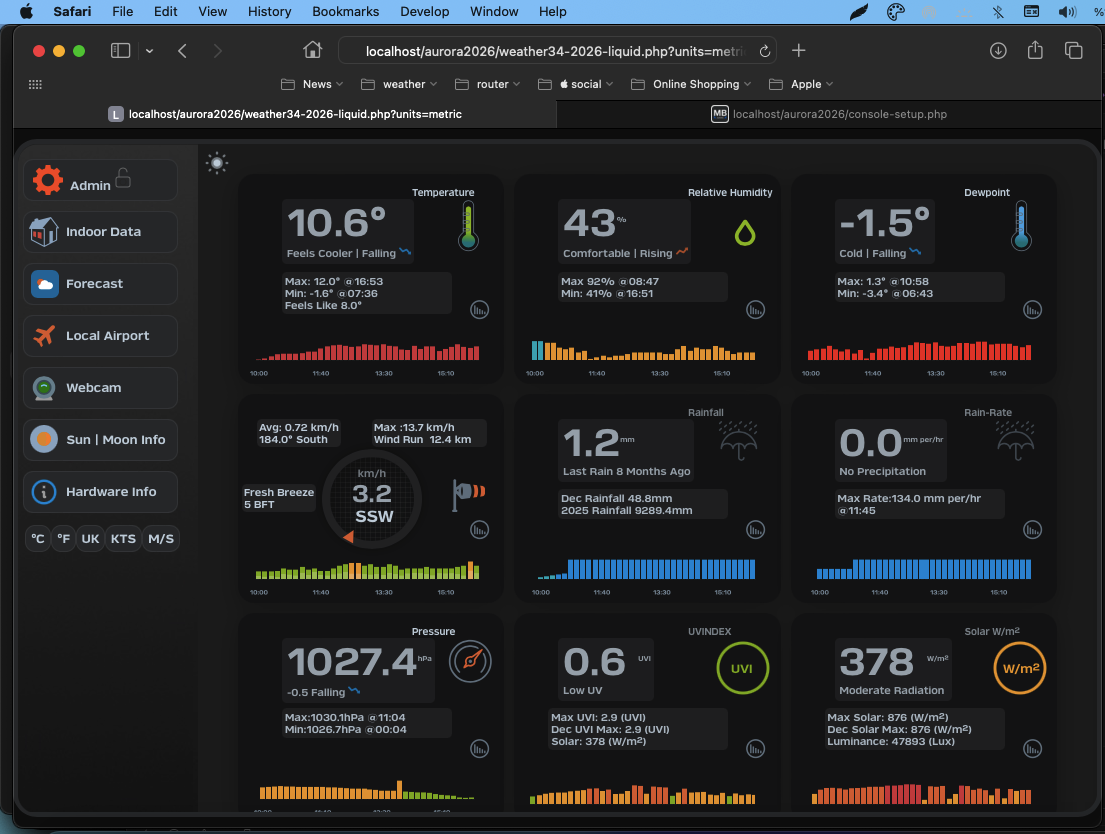
- mb5.png (254.78 KiB) Viewed 1312 times
Re: Weather34 Aurora becomes Meteobridge Aurora and goes into the Cloud
Posted: Thu Dec 11, 2025 4:35 pm
by weatherist34
continued
16:9 or TV layout or larger computer monitors its incomplete due to bottom module alignments
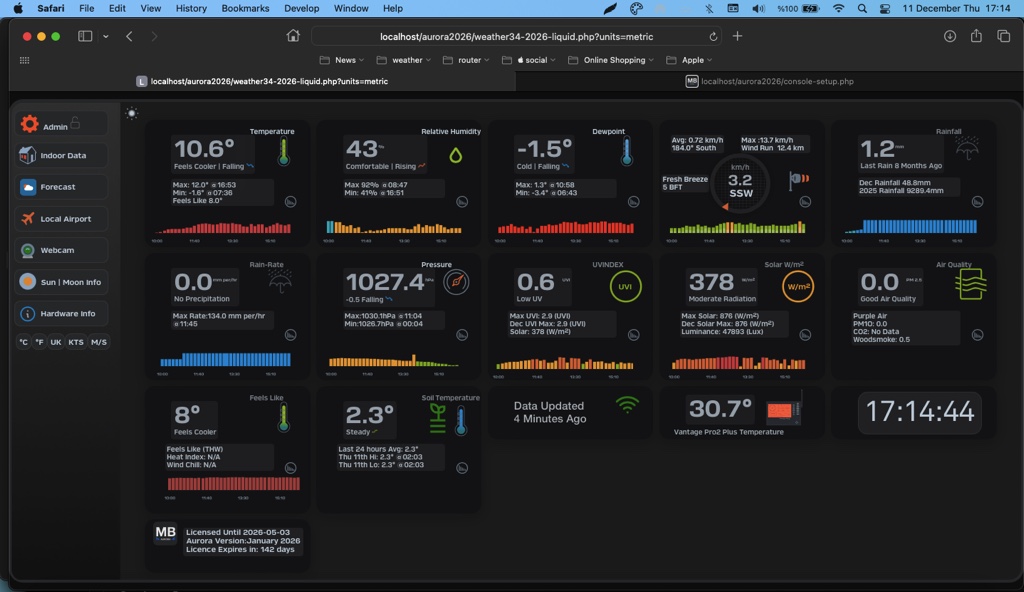
- mb6.jpg (150.62 KiB) Viewed 1311 times
brian
Re: Weather34 Aurora becomes Meteobridge Aurora and goes into the Cloud
Posted: Fri Dec 12, 2025 6:18 pm
by LudwigD
i think it is better to create a secondary smaller API or output to a file example MBrealtimeupload2.txt and stagger its update output to every 5 pr 10 minutes in the additional API .this reduces the load on the meteobridge device to correlate data at reasonable intervals .it would be useful for sensors that dont require update output every 10 seconds or 1 minute . things like you mention that dont need rapid updates
many thanks, but I believe my Aurora Dashboard is in the cloud:
This is azero-config Dashboard based on the Weather34 design by Brian Underdown. IMHO it is an extremely appealing way to present your weather data to the public and stands out compared to what weather station manufactures offer bundled with their hardware. The Dashboard is located in the cloud, provides current weather data as well as some historical charts and can be individually composed of a wide range of weather data widgets. Source: Meteobridge Wiki
So, how can I do this ?
Thanks again,
LD