Page 1 of 1
Pro2 Export Rain Fall Is Zero ** Solved **
Posted: Sun Oct 12, 2025 8:39 pm
by Car54
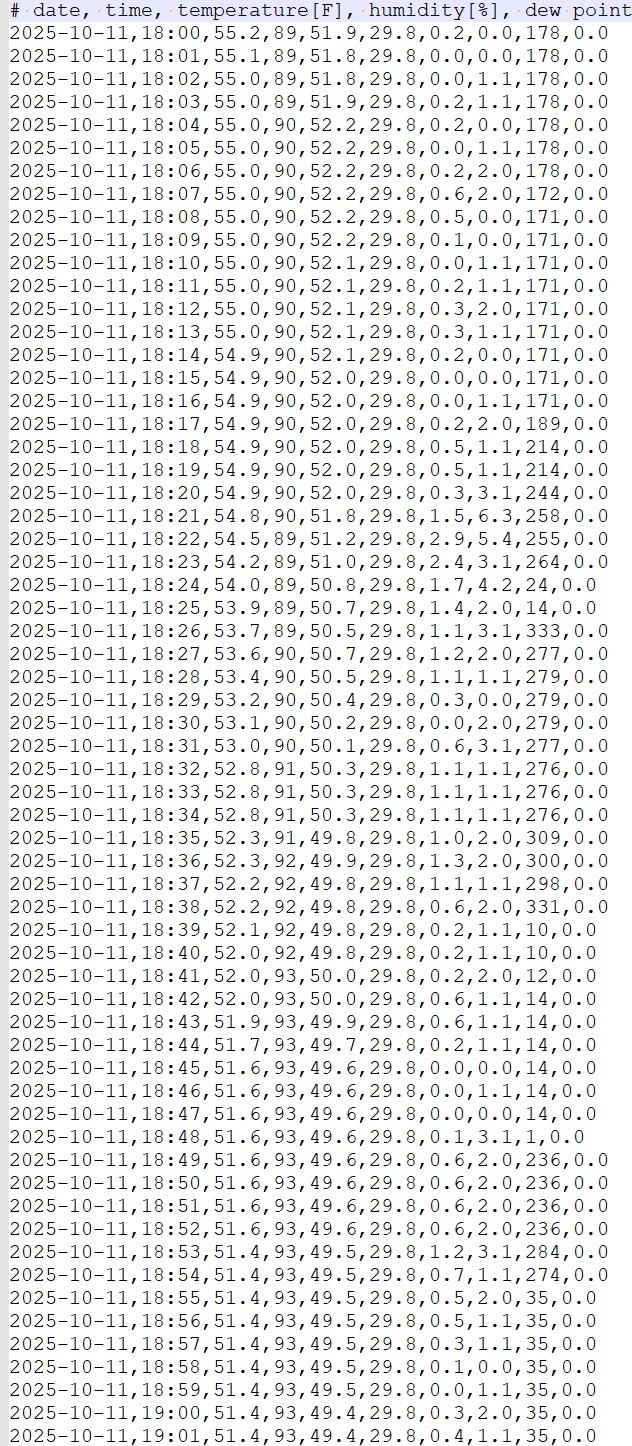
I used the standard-imp.exp template to export the weather data from yesterday. All the data looks good, except the rain sums are all zero.
Here's a section of the exported data showing zero rain:
And here's a screen shot showing there was rain:
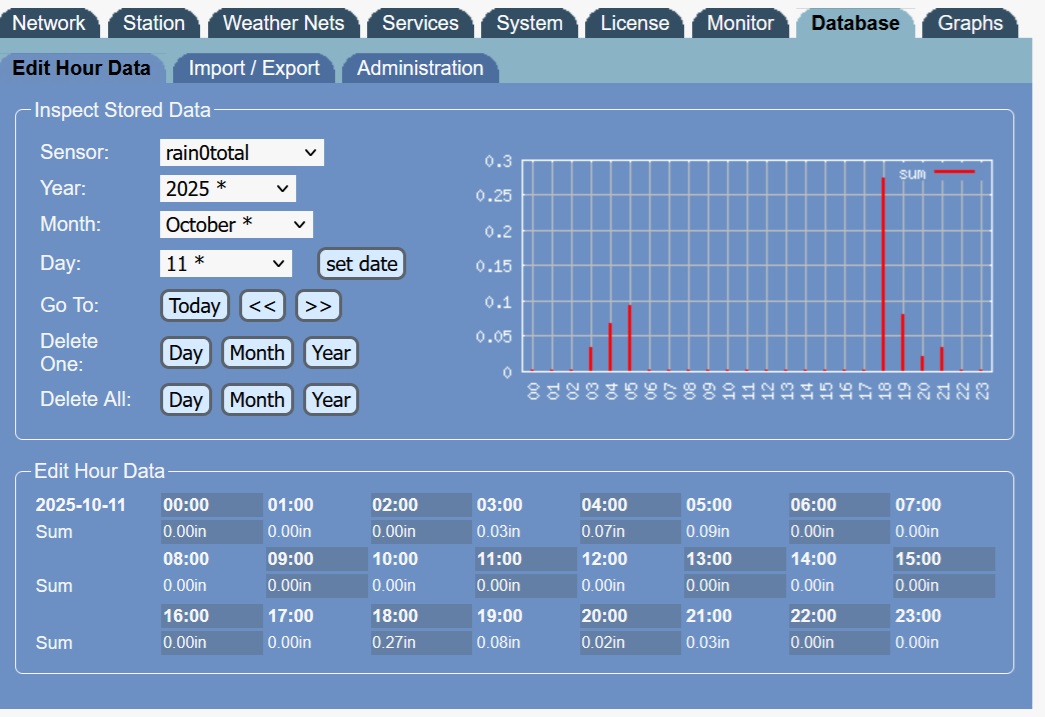
Is there something I'm doing wrong?
Re: Pro2 Export Rain Fall Is Zero
Posted: Mon Oct 13, 2025 11:20 am
by admin
You need to have "store per-minute data" enabled on "Database - Admin" tab. Otherwise only hourly data is permanently stored. When you switch to export of hourly data it should be in sync what you see in the database.
Re: Pro2 Export Rain Fall Is Zero
Posted: Sat Oct 18, 2025 7:22 pm
by Car54
The store per-minute data is now enabled. A little rain (0.01 inches) fell yesterday around 6:58am. All 3 weather servers with the uploaded data show it. Here is a screen scrape from Wunderground:

Looking at the data in the Pro2, the rainfall appears at 6:58 and then disappears at 6:59.
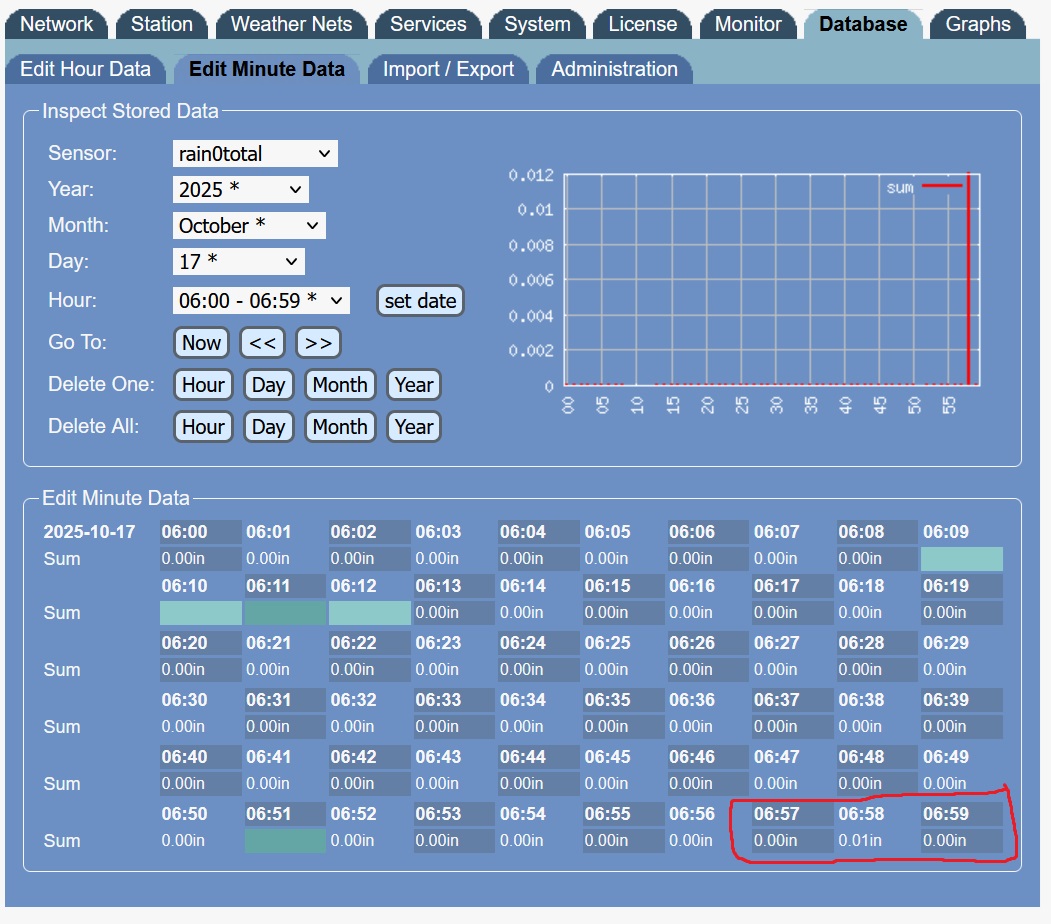
Per chance, is the data only stored to the nearest 0.1 inches?
Re: Pro2 Export Rain Fall Is Zero
Posted: Sun Oct 19, 2025 2:11 am
by Car54
Does rain0total refer to the rain total for that minute - not for the day?
Re: Pro2 Export Rain Fall Is Zero
Posted: Sun Oct 19, 2025 4:45 am
by Mattk
As used in a Template then it will be relative to the Resolution setting. Using a 1 minute resolution then the total is for the minute, if using say a 10 minute interval then it's for the 10 minutes. If you were using say a Month [Time Frame] and Resolution set to [Days] then that would be the total for each day.
Outside of a Template then the selectors hoursum, sumday/daysum, monthsum, yearsum, alllsum and ydaysum applied to rain0total as well as specific use of sum.. provide varying intervals directly.
Re: Pro2 Export Rain Fall Is Zero
Posted: Sun Oct 19, 2025 4:04 pm
by Car54
OK. This can now be flagged as **solved**. Two actions were required:
1) Change the data storage to "Per-Minute".
2) Edit the standard-imp.exp template to change [rain0total-sum=in.1:] to [rain0total-sum=in.2:] in order to create values in 0.01 inches.