Page 2 of 89
Re: Weather34 MB-SMART NANOSD TEMPLATE
Posted: Thu Oct 03, 2019 8:37 am
by ConligWX
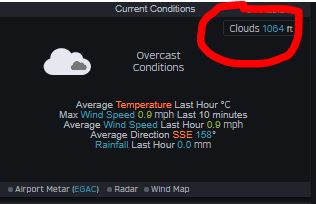
so is the cloudbase from METAR or your own calculations?
- Capture.JPG (18.42 KiB) Viewed 8476 times
Re: Weather34 MB-SMART NANOSD TEMPLATE
Posted: Thu Oct 03, 2019 8:49 am
by weatherist34
svampen wrote: Wed Oct 02, 2019 1:23 pm
I can send you the translation-file, but I am still tinkering with it. Some words are not suitable etc. Hard to see all places they might go and choose the right nomenclature.
But I fixed the wind run issue as follows:
in Windspeeddirection.php, at the very end:
Code: Select all
<div class=weather34windruntoday1>
<?php echo ' <windaveragevalue>',number_format($weather["windrun34"],1)."</windaveragevalue><weather34windrunspan>"?>
<?php if (($weather["wind_units"]=='km/h') || ($weather["wind_units"]=='m/s')){echo 'km';}else echo 'mi';?></weather34windrunspan></div>
<div class=windruntoday1><?php echo $lang['Wind Run']." ".$lang['Today'];?></div>
And in Livedata.php, approx line 105, I added a factor of 3,6 as such:
Code: Select all
	//weather34 windrun based on daily average
    $windrunhr=date('G');$windrunmin=(($windrunmin=date('i')/60));$windrunformula=$windrunhr=date('G')+$windrunmin;
	$weather["windrun34"]=$weather['wind_speed_avg30']*number_format($windrunformula,1);
    //Fix for correct m/s format by RM
if ($weather["wind_units"]=="m/s") {
    $weather["windrun34"]=$weather["windrun34"]*3.6;
}
looking at your code no need to edit the live data simply add the formula into the file windspeeddirection.php
like this
<?php
if ($weather["wind_units"]=='m/s'){echo ' <windaveragevalue>',number_format($weather["windrun34"]*3.6,1)."</windaveragevalue><weather34windrunspan>";}
else echo ' <windaveragevalue>',number_format($weather["windrun34"],1)."</windaveragevalue><weather34windrunspan>";
;?><?php if (($weather["wind_units"]=='km/h') || ($weather["wind_units"]=='m/s')){echo 'km';}else echo 'mi';?></weather34windrunspan></div>
<div class=windruntoday1><?php echo $lang['Wind Run']." ".$lang['Today'];?></div>
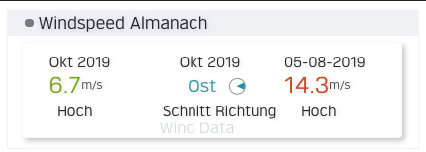
so I added it into windspeeddirection.php , I will upload sometime today with a few other additional tweaks . also changed the formula to a simple *400(ref Simon-conligwx) for cloud base however results are the same but ill use *400 for familiarity .
some other minor additions (wind direction icon for average) nothing significant probably won't be anything significant . next significant change will be css but thats a job for when I have some personal time for a week ..
- Screenshot at Oct 03 09-48-13.png (28.75 KiB) Viewed 8475 times
Re: Weather34 MB-SMART NANOSD TEMPLATE
Posted: Thu Oct 03, 2019 8:53 am
by weatherist34
ConligWX wrote: Thu Oct 03, 2019 8:37 am
so is the cloudbase from METAR or your own calculations?
Capture.JPG
as above its based on your station data , never used metar .
$weather34["cloudbase"]=round(($weather["temp"] - $weather["dewpoint"])*400,1);
Re: Weather34 MB-SMART NANOSD TEMPLATE
Posted: Thu Oct 03, 2019 2:11 pm
by weatherist34
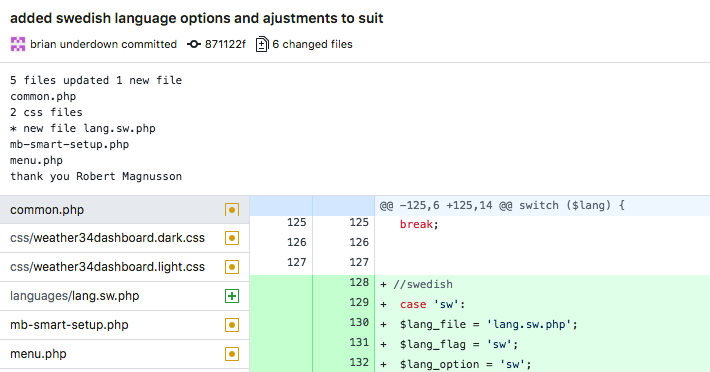
language file Swedish was added many thanks to Robert Magnusson for taking the time and checking for alignments , its important when submitting languages .
- Screenshot at Oct 03 14-58-33.png (66.17 KiB) Viewed 8460 times

- Screenshot_2019-10-03 Somewhere Home Weather Station(2) copy.png (285.65 KiB) Viewed 8460 times
Re: Weather34 MB-SMART NANOSD TEMPLATE
Posted: Thu Oct 03, 2019 2:56 pm
by svampen
lang['Awesome'] = 'Grymt bra!'

// Robert
Re: Weather34 MB-SMART NANOSD TEMPLATE
Posted: Thu Oct 03, 2019 8:38 pm
by svampen
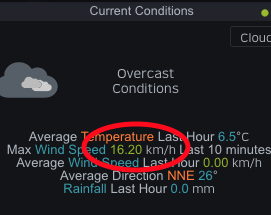
A small problem I have found.
This "max wind speed per 10min" in the current conds is stuck. It does not alter. It change when units are changed, but the speed is always the same. The other values in the current conds do follow what is happening.
I cannot find what the problem is or really understand how the livedata is parsed.
Did a restart of the meteobridge, did a complete update of all templatefiles, but no change.
Right now it is completely still outside and has been a few hours. But still the same 4,5m/s or equivalent mph or km/h, regardless.

- Skärmavbild 2019-10-03 kl. 20.30.27.png (25.98 KiB) Viewed 8449 times
Re: Weather34 MB-SMART NANOSD TEMPLATE
Posted: Thu Oct 03, 2019 10:18 pm
by admin
Please keep in mind that gust speed of last 10 minutes will not change within 10 minutes when no higher gust is recorded in that time. Logical, isn't it?
Re: Weather34 MB-SMART NANOSD TEMPLATE
Posted: Fri Oct 04, 2019 12:47 am
by ConligWX
Brian.
the eqlist.php has hardcoding in it, which is not for most weather stations.
line 211
Code: Select all
<div class="weather34darkbrowser" url="Turkey & Regional Recent Earthquakes "></div>
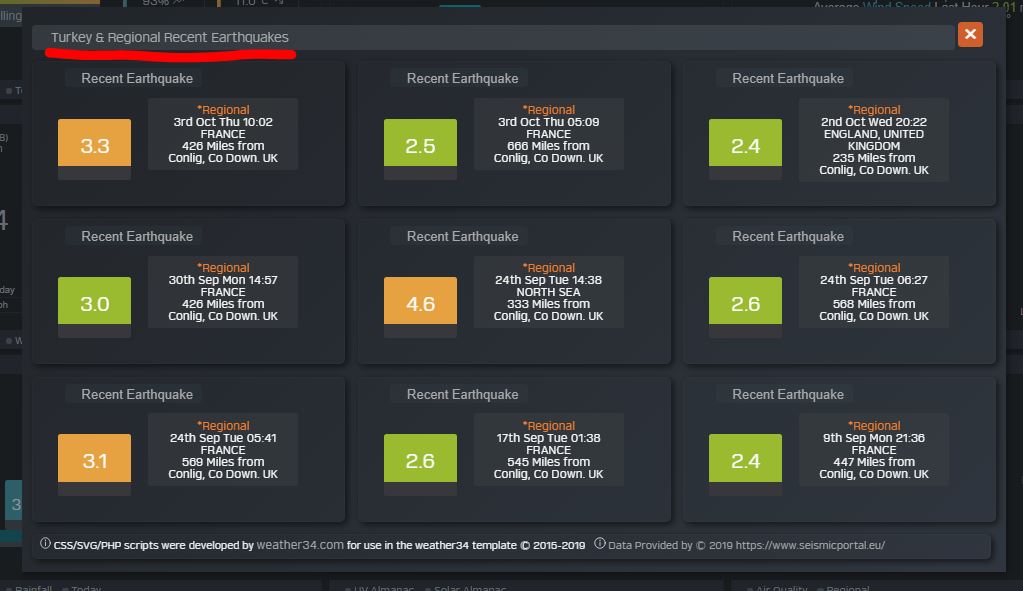
- Capture.JPG (82.65 KiB) Viewed 8447 times
sorry but I dont like in Turkey:)
Re: Weather34 MB-SMART NANOSD TEMPLATE
Posted: Fri Oct 04, 2019 1:44 am
by weatherist34
sorry overlooked

Re: Weather34 MB-SMART NANOSD TEMPLATE
Posted: Fri Oct 04, 2019 7:38 am
by svampen
admin wrote: Thu Oct 03, 2019 10:18 pm
Please keep in mind that gust speed of last 10 minutes will not change within 10 minutes when no higher gust is recorded in that time. Logical, isn't it?
Sorry to rant, but I still don't get it.


The $weather["wind_speed_max"] that the value comes from; is that not the highest average wind speed of the day that reset at midnight? It does certainly not indicate gust speeds, nor what happened the last 10 minutes. Or maybe I have misunderstood ... (which is probably quite likely

)
I tried alter to use $weather["wind_gust_speed_max"] instead, and I then get the highest gust of the day that reset at midnight, ie the same as top-left corner of the big winddirection box.
Re: Weather34 MB-SMART NANOSD TEMPLATE
Posted: Fri Oct 04, 2019 11:34 am
by weatherist34
svampen wrote: Fri Oct 04, 2019 7:38 am
admin wrote: Thu Oct 03, 2019 10:18 pm
Please keep in mind that gust speed of last 10 minutes will not change within 10 minutes when no higher gust is recorded in that time. Logical, isn't it?
Sorry to rant, but I still don't get it.
The $weather["wind_speed_max"] that the value comes from; is that not the highest average wind speed of the day that reset at midnight? It does certainly not indicate gust speeds, nor what happened the last 10 minutes. Or maybe I have misunderstood ... (which is probably quite likely
)
I tried alter to use $weather["wind_gust_speed_max"] instead, and I then get the highest gust of the day that reset at midnight, ie the same as top-left corner of the big winddirection box.
don't worry I don't it call it ranting I call it resolving try the livedata.php just updated the string was using incorrect number now changed to position 40 .
Re: Weather34 MB-SMART NANOSD TEMPLATE
Posted: Fri Oct 04, 2019 5:21 pm
by ConligWX
Brian does past history records get populated when you install MB-SMART or only data going forward from the time the scripts are run?
I've not setup this fully as yet.
Re: Weather34 MB-SMART NANOSD TEMPLATE
Posted: Fri Oct 04, 2019 7:52 pm
by weatherist34
ConligWX wrote: Fri Oct 04, 2019 5:21 pm
Brian does past history records get populated when you install MB-SMART or only data going forward from the time the scripts are run?
I've not setup this fully as yet.
no unfortunately unless you have records from previous meteobridge version which uses mysql and is upto date the structure is almost identical apart from the solar i think cant remember without looking.if you have those just send me that 2019.csv file and i can simply do a quick test , it is generally is ok see for example
https://myrtleweather.com/shwst/ that is using a data from the original version which only needed a slight adjustment but the or my original aim of releasing for january 2020 was this reason .the new chart method requires zero knowledge of mysql at all just run the two simple chart files outlined here
https://weather34.com/homeweatherstatio ... setup.html
it doesnt get any easier than this and is suited for those without any previous mysql experience makes life easier for all and reduces the support overhead.
when i get time i will publish a page how to actually run a export in same structure,format from nanosd so that would allow past years of data to be used .unlikely in the near future at the moment.
for now it runs from the day you install and no before anyone asks will it support weather underground history..

Re: Weather34 MB-SMART NANOSD TEMPLATE
Posted: Fri Oct 04, 2019 8:32 pm
by svampen
weatherist34 wrote: Fri Oct 04, 2019 11:34 am
... try the livedata.php just updated the string was using incorrect number now changed to position 40 .
And now it works perfectly!
Brian, you have a cold beer waiting for you here!
// R.
Re: Weather34 MB-SMART NANOSD TEMPLATE
Posted: Fri Oct 04, 2019 8:55 pm
by weatherist34
svampen wrote: Fri Oct 04, 2019 8:32 pm
weatherist34 wrote: Fri Oct 04, 2019 11:34 am
... try the livedata.php just updated the string was using incorrect number now changed to position 40 .
And now it works perfectly!
Brian, you have a cold beer waiting for you here!
// R.

- yourwelcome34.png (38.38 KiB) Viewed 8384 times