Page 1 of 2
Pro 2 With AW WS-5000
Posted: Fri Dec 05, 2025 10:01 pm
by Car54
The Ambient Weather WS-5000 appears to be a rebranded Ecowitt WS80. I thought it might be possible to employ the Pro 2 with the station.
I set it up as follows:
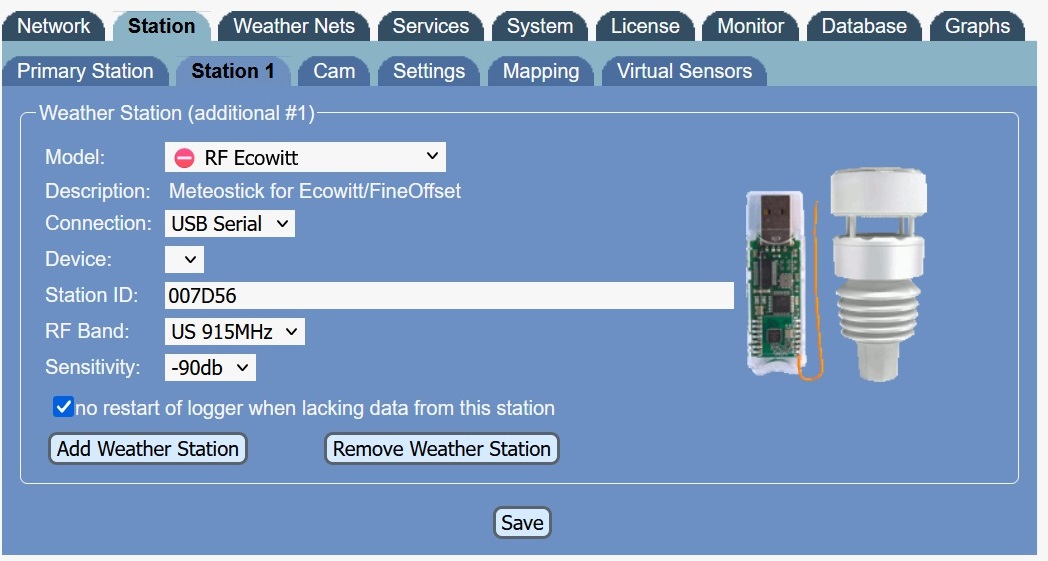
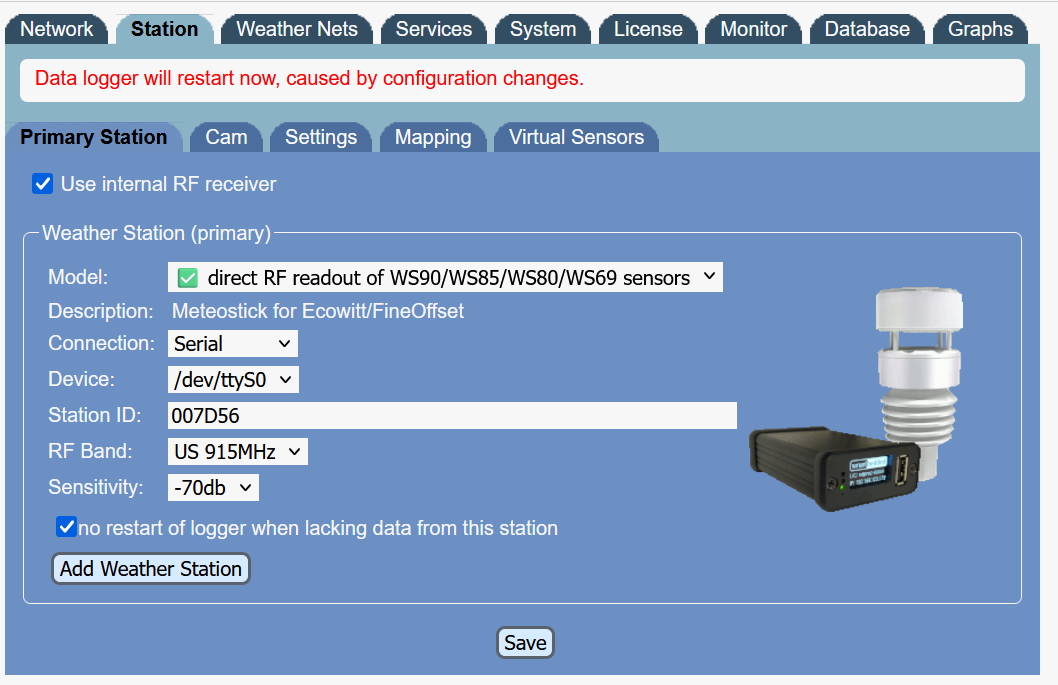
Where the Station Id is shown as:
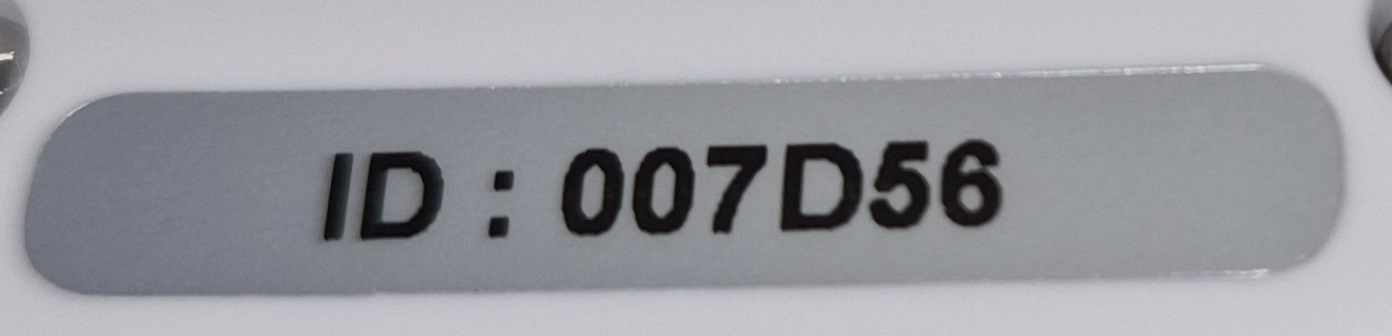
When the Weather Station is added, the log shows an error message of:
can't open device /dev/ttyMH: Invalid argument
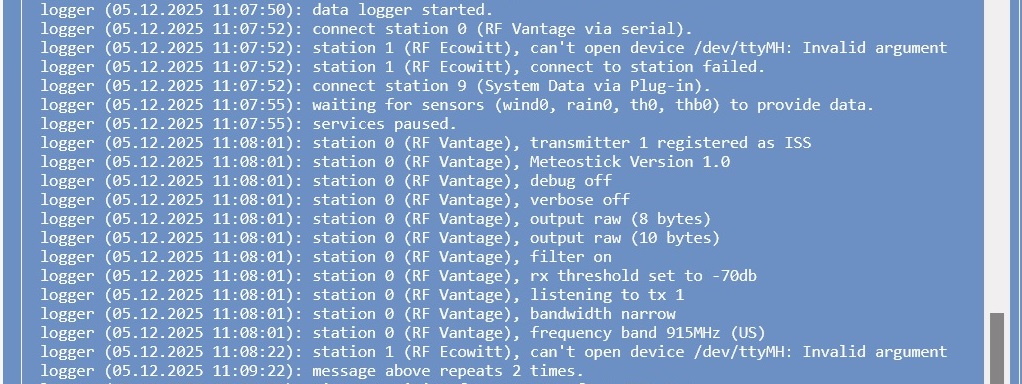
Perhaps that indicates that the Station Id is incorrect? If so, what would be a valid Id?
Re: Pro 2 With AW WS-5000
Posted: Mon Dec 08, 2025 6:11 pm
by Gyvate
did you try to use the ID without the leading zeros ?
And "Serial" instead of "USB Serial".
At the RF level the transmission protocol of the WS-5000-ARRAY should be the same as the WS80 as far as weather data are concerned.
An Ecowitt console can receive a WS-5000-ARRAY - then the SDR interface of Meteobridge should also be able to do this.
my station panel looks different ...
A Pro2 reads the RF signal directly without extra Meteostick hardware - as far as I understand it, it uses a Meteostick software emulation.
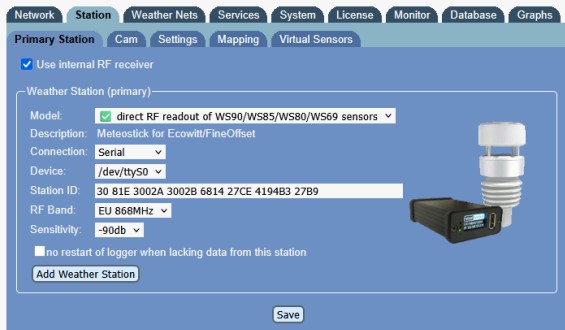
- MB-Pro2-direct-RF.jpg (42.4 KiB) Viewed 1242 times
Your picture looks like a Pro or RPi or NANO device with an added Meteostick
Maybe your subject is incorrect and you don't have/use a Pro2 ...
Re: Pro 2 With AW WS-5000
Posted: Mon Dec 08, 2025 7:52 pm
by Car54
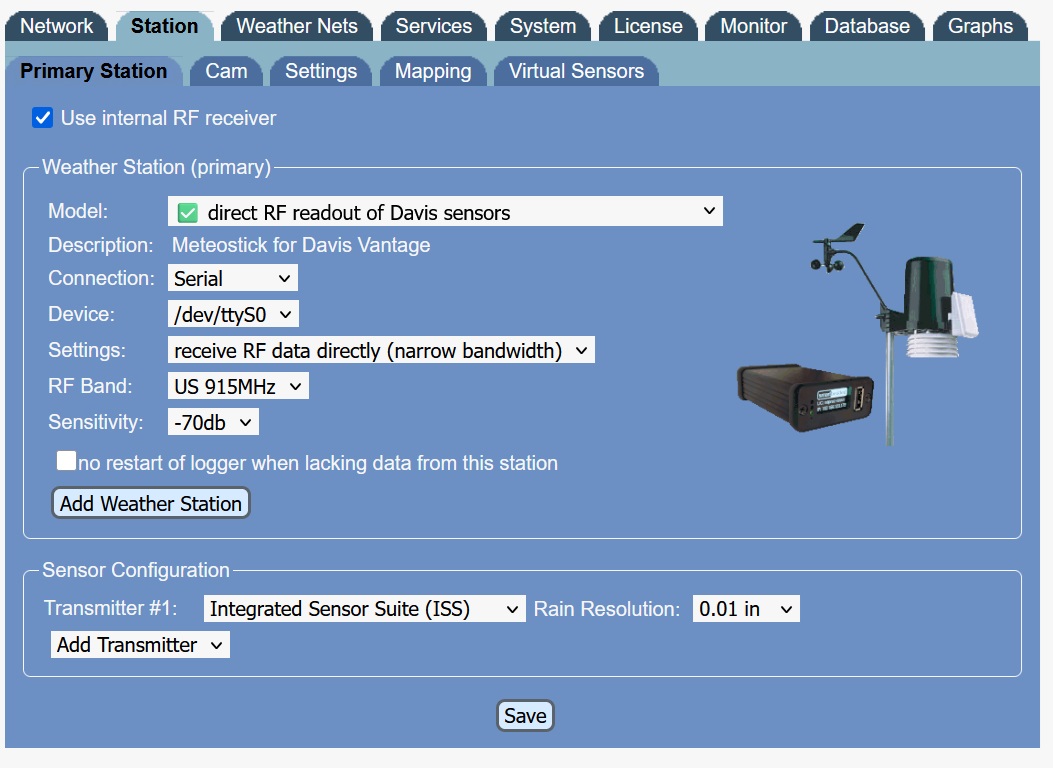
My primary weather station is shown above. The options for adding a station are different than for the primary station. There is no "direct RF readout of WS90/WS85/WS80/WS69 sensors" option. I picked the only option that is close. Perhaps this is an oversight?
Re: Pro 2 With AW WS-5000
Posted: Mon Dec 08, 2025 8:15 pm
by Gyvate
that looks indeed strange ...
No idea why the picture is different.
Maybe, because the interface is already used by your Davis for Station 0 (primary) and the interface can only be used once at a time ....
Maybe some programming is missing for a 2nd station using this functionality.
Let's see what Boris (@admin) has to say here ...
Re: Pro 2 With AW WS-5000
Posted: Thu Dec 11, 2025 2:44 am
by Car54
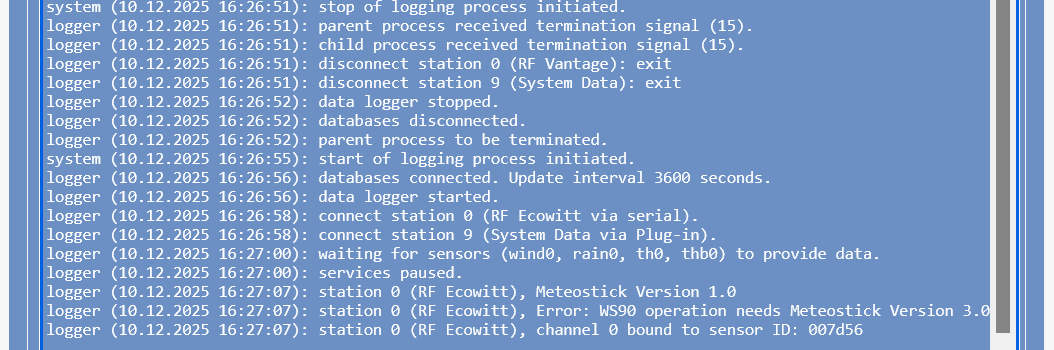
To test whether or not the WS-5000 will connect to the Pro2, I set it as the Primary Station. This generated an error in the log:
Error: WS90 operation needs Meteostick version 3.0
Re: Pro 2 With AW WS-5000
Posted: Fri Dec 12, 2025 5:43 pm
by Gyvate
Released June 27, 2025
Meteobridge PRO2, PRO red, and Meteobridge with Meteostick: adds support for more Ecowitt / Fine Offset sensors. Update to RF firmware 3.4 (Meteostick) resp 2.4 (PRO2) is required. A collection of 8 sensors from these types can be evaluated in parallel:
Did you update the Meteostick software in your MB Pro2 ?
System --> Administrator --> Internal RF Module
Re: Pro 2 With AW WS-5000
Posted: Fri Dec 12, 2025 6:54 pm
by Car54
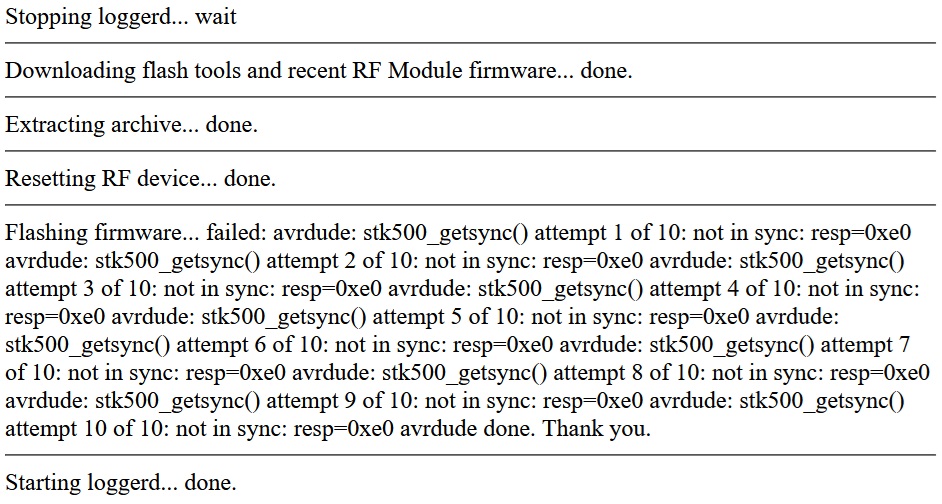
I had not updated the RF Module. When I tried, I received the following screen:
Re: Pro 2 With AW WS-5000
Posted: Fri Dec 12, 2025 6:58 pm
by Gyvate
and ... ?
starting the logger demon ...
can you use the RF "station" as station #0 (primary) - or did the firmware upgrade fail ?
If the latter, did you repeat it ?
Re: Pro 2 With AW WS-5000
Posted: Sat Dec 13, 2025 3:45 am
by Car54
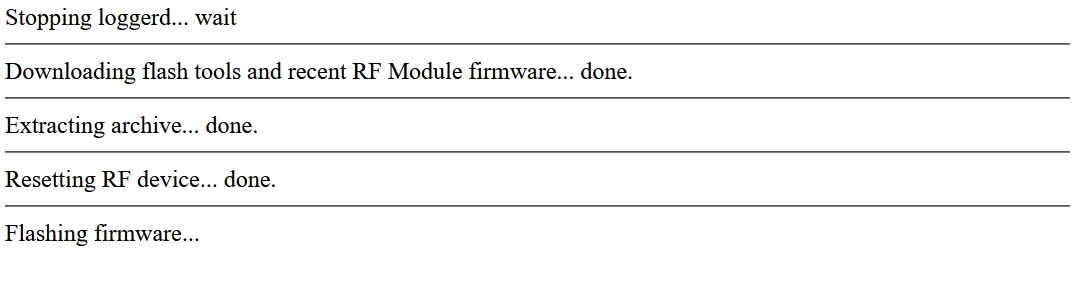
I tried the RF Module Update a 2nd time. It produced the screen and log file shown below. After waiting 10 minutes for the "Flashing firmware..." to append "done.", I gave up. I tried again to change the primary station to the WS80 and again the log file showed the same error:
Error: WS90 operation needs Meteostick Version 3.0 or newer!

Re: Pro 2 With AW WS-5000
Posted: Sat Dec 13, 2025 3:53 am
by Car54
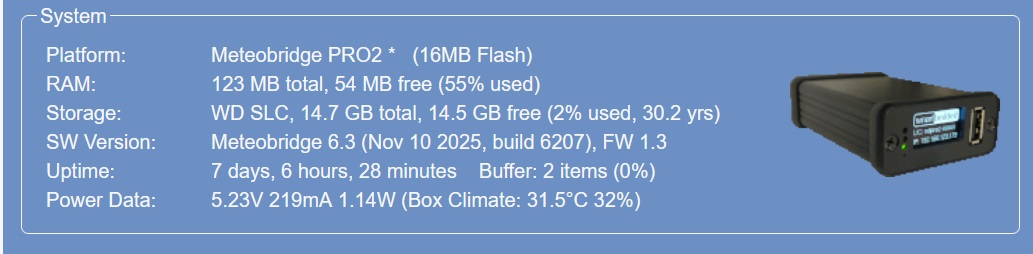
The Pro2 is running version 6.3
Re: Pro 2 With AW WS-5000
Posted: Sat Dec 13, 2025 12:40 pm
by Gyvate
I think that's something Boris (@admin) has to look into himself.
Send him an email via
info@smartbedded.com and give him access to your Meteobridge
username, password, MAC address
Refer to the post here - and we'll see what it gives ...
Re: Pro 2 With AW WS-5000
Posted: Mon Dec 15, 2025 11:57 am
by admin
When I get remote credentials, I can login and check. Please send to "info(at)meteobridge.com".
Re: Pro 2 With AW WS-5000
Posted: Mon Dec 15, 2025 10:20 pm
by admin
Thanks for login details.
The initial assumption that the Ambient Weather WS-5000 is an WS80 is obviously wrong. When you inspect the foshk.com pages you see, that it is a HP2553 (
http://foshk.com/Wifi_Weather_Station/HP2553.html)
These stations can be used by Meteobridge via "Custom Upload" mode as explained in the wiki:
These weather data consoles collect data from a couple of Ecowitt / Fine Offset sensors and sensor arrays and is able to upload data via "Custom Server" option to Meteobridge. Meteobridge supports all connected sensors. In order to upload data to the Meteobridge the Meteobridge URL "
http://ip-of-meteobridge/public/ecowitt0.cgi" has to be specified in the console as "Custom Server" URL. "ecowitt0.cgi" is the right target if it is defined as the primary station in Meteobridge. If it is defined as the first additional station "ecowitt1.cgi" needs to be specified, etc. This allows Meteobridge to collect data from multiple Ecowitt consoles.
Re: Pro 2 With AW WS-5000
Posted: Tue Dec 16, 2025 12:43 am
by Car54
Excellent. Now I just need to track down a console for the HP2553 ...
Thanks!
Re: Pro 2 With AW WS-5000
Posted: Tue Dec 16, 2025 1:17 am
by admin
Was there no console with the WS-5000? I thought it is part of the package.
If not, I would look for a compatible GW1000/2000/3000 device.